TImageEnView.LayersNewLayerDialog
Declaration
function LayersNewLayerDialog(InsertPos: Integer = -1;PosX: Integer = -1; PosY: Integer = -1; Width: Integer = 0; Height: Integer = 0): Boolean; overload;
function LayersNewLayerDialog(LayerKind: TIELayerKind; PromptForImage: Boolean = False; InsertPos: Integer = -1; CanChangeKind: Boolean = False;
PosX: Integer = -1; PosY: Integer = -1; Width: Integer = 0; Height: Integer = 0): Boolean; overload;
Description
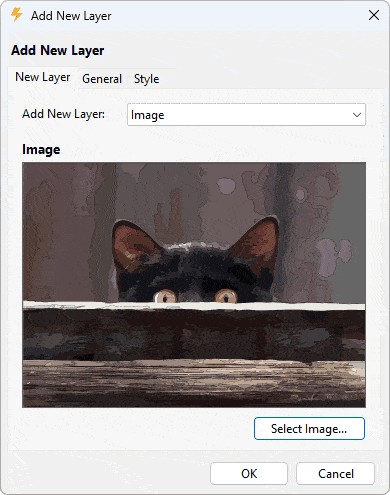
Create a layer and prompt the user to specify its properties. If the user cancels out, the layer is removed.If PromptForImage is enabled and LayerKind=ielkImage, then the user is prompted to browse for an image file to load.
InsertPos specifies the index of the new layer.
If CanChangeKind = True, the "New Layer" dialog allows the user to change the layer kind (defaulting to the specified LayerKind).
You can specify PosX and PosY for the destination position of the layer (in terms of the background bitmap, e.g. 0,0 would align the new layer with the top-left of Layer[0]). Pass as -1, -1 to use the next available position.
If you do not specify a width and height, the default size is used.
Result is True if a new layer is created (which will be the CurrentLayer).
Note:
◼You can use DefaultLayerShape to specify a default shape or DefaultLayerText for default text
◼The size of the dialog are specified by: LayerPropertiesDialogWidth and LayerPropertiesDialogHeight
◼You can customize the dialog using OnShowDialog
Demos
 | Demos\LayerEditing\Layers_AllTypes\Layers.dpr |
| | Demos\ImageEditing\EveryMethod\EveryMethod.dpr |
Examples
// Prompt the user to browse for an image and then set its properties dialogImageEnView1.LayersNewLayerDialog( ielkImage, True );
// Prompt the user to specify properties for a new shape layer
ImageEnView1.LayersNewLayerDialog( ielkShape );
// Prompt the user to specify and configure a new layer (any type)
ImageEnView1.LayersNewLayerDialog();
// Prompt the user to specify and configure a new layer (any type) with default size specified
ImageEnView1.LayersNewLayerDialog( -1,
MulDiv( ImageEnView1.Layers[0].Width, 2, 10 ),
MulDiv( ImageEnView1.Layers[0].Height, 2, 10 ),
MulDiv( ImageEnView1.Layers[0].Width, 6, 10 ),
MulDiv( ImageEnView1.Layers[0].Height, 6, 10 ));
See Also
◼LayersShowPropertiesDialog◼OnShowDialog