

ImageEn History
ImageEn 15.0.0
Top Twenty-five Enhancements
- Can now display and edit individual channels (Red, Green, Blue or Alpha) in TImageEnView

- Heif plug-in with support for Alpha channel and multiple frames, including AVIF saving
- Significant work on supporting other native pixel formats (1bit, 8bit, 32bit, etc) throughout ImageEn, including many editing operations, conversion and saving
- Implemented LibRaw 0.22 with support for many more cameras: Canon (EOS R1, EOS R5 Mark II, EOS R5 C, EOS R6 Mark II, EOS R8, EOS R50, EOS R100, EOS Ra), Fujifilm (X-T50, GFX 100S II, GFX100-II, X-T5, X-S20, X-H2, X-H2S), Hasselblad (CFV-50c, CFV-100c, X2D-100c), Leica (Q3 43, D-Lux8, SL3, Q3, M11), Nikon (Z6-III, Z f, Z30, Z8), Olympus (OM-1 Mark II, TG-7, OM-5), Panasonic (GH7, S9, DC-G9 II, DC-ZS200D, ZS220D, DC-TZ200D, TZ202D, TZ220D, DC-S5-II, DC-GH6), Pentax (KF, K III), Sony (ZV-E10M2, UMC-R10C, A9-III, ILX-LR1, A7C-II, A7CR, ILCE-6700, ZV-1M2, ZV-E1, ILCE-7RM5, A7R-V, ILME-FX30), etc.
- The Every Method demo is now much more powerful with code examples, documentation link, filtering and over 100 more methods

- AutoConvertFormat property for TImageEnIO and TImageEnMIO allows ImageEn to optionally auto-correct incompatible pixel formats to get the best save result while retaining the image quality and alpha
- New Image Properties dialog that shows preview, meta-data, map and histogram for an image

- Many WIC improvements, including automatic image orientation, scaled thumbnail loading and support for all pixel formats
- Enhanced Slippy Maps and Equirectangular Renderer (for 3D images) with support for scrollbars, mouse wheel and zooming,
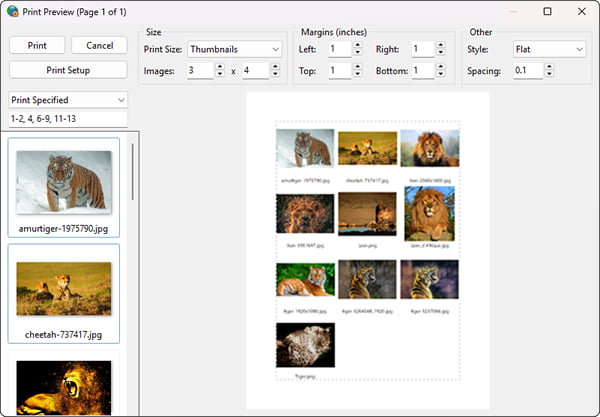
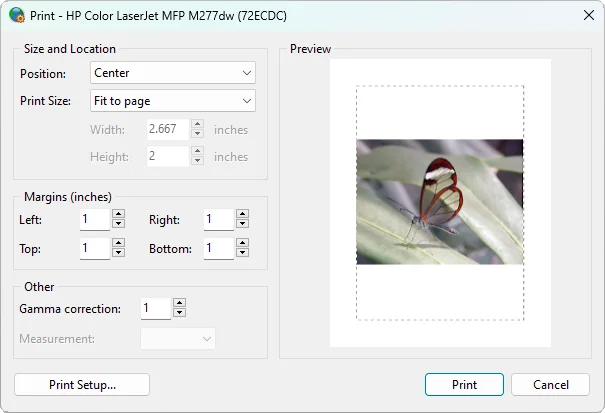
- TImageEnMView Print Preview dialog allows a heading to be specified and styled when thumbnail printing
- New Layer dialog allows selection and changing of layer type

- New installer used for improved package downloading, security and styling
- Many improvements to the documentation, including over 3000 code samples with before/after images
- Generate Map helper method to create map images by image GPS EXIF or Lat/Long

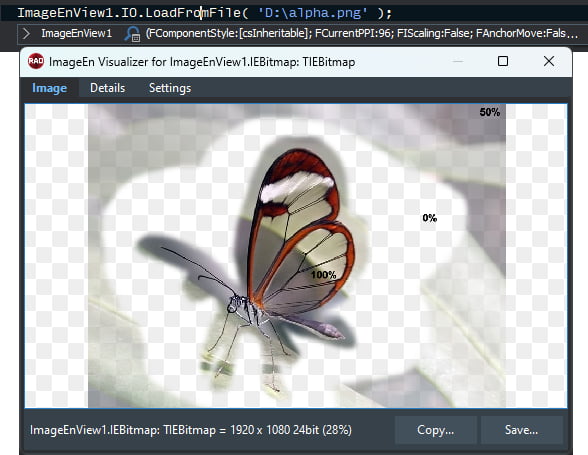
- EnableHoverHint property to display the color and alpha value under the cursor in TImageEnView (Also available in Debugging Visualizer)

- Magnification layers can be now have a custom source, which can be locked when editing with the ALT key
- New brush types for Painting Tool: Line, Rect, Filled Rect, Ellipse, Filled Ellipse
- New Wallis Filter algorithm to optimize images without letterbox effect
- Weighting options for color and alpha gradient fills, e.g. ease in/out, middle-weighted, etc.
- DrawToBitmap method to draw all images in a TIEMultiBitmap or TImageEnMView to bitmap

- IEGenerateSampleImage helper to create test images of all pixel formats

- Complete native localization for Slovak language
- TImageList can be assigned to a TIEBitmap or TImageEnView
- Support for TIFF files that contain a single block larger than 2GB
- Numerous optimizations and fixes from our enhanced unit testing system
ImageEn 14.2.7
- Fix for potential crash on loading of IEVision plug-in
- Can estimate the image quality used for WebP, HEIF and AVIF files
ImageEn 14.2.6
Top Ten Enhancements
- TImageEnMView Print and Save Thumbnail dialogs use checkboxes instead of multi selection
- Sorting and filtering in TImageEnMView by checked status
- Other TImageEnMView Checkbox enhancements, including simpler property to bulk set checked status and OnCheckboxChange event
- TOpenImageEnDialog shows preview for video files
- Improved performance in TImageEnMView when retrieving thumbnails from Windows Explorer
- More options available when retrieving thumbnails with Windows Explorer API
- "Glow" background style

- Slippy Map enhancements including updated provider list and Min and Max Zoom properties
- OnLoadPlugIn event to customize and block loading of plug-in DLLs
- Load optimization for TIEImageList and cover flow animations
ImageEn 14.2.5
Top Five Enhancements
- Scaling supported when loading JPEG images via WIC to improve performance
- Extraction of MP4 (motion) videos from Android phone images
- More accurate preview when editing an image operation within an effects chain
- Can output all available parameters of a Twain device
- Generic ImageQuality and Lossless saving directives for JPEG, HEIF, WebP, JPEG2000, WIC and ImageMagick
- Plus support for Delphi/C++Builder 13 Florence
ImageEn 14.2.0
Top Fifteen Enhancements
- Native PNG and JPEG2000 support is now optional. By default, they are not compiled into your project. To include them, add ieNativePNG and ieNativeJ2K to the uses clause of a project unit (ieNativeJPEG should also be included as it will be optional in a future release)
- The Debugging Visualizer has been significantly enhanced. You can now modify ImageEn objects, bitmaps and color variables, including editing of images. Also, much more debugging information is output, and keyboard shortcuts are supported

- Improved debugging information when hovering of ImageEn variables and bitmaps

- Debug information can be displayed over TImageEnView and TImageEnMView control windows while debugging, including the status of all DLLs and imaging engines

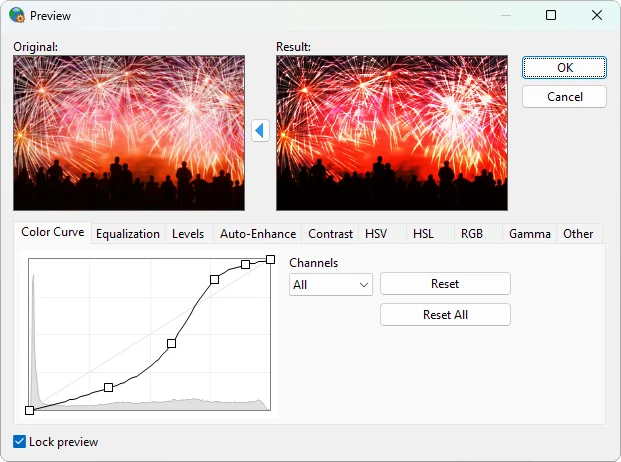
- Many improvements to the Proc Previews dialog including better localization, removal of isolated pixels and feathering when setting transparency
- Improvements to TIFF support (including non-standard formats) and TIFF handling methods including easier insertion of images and progress during slow operations
- New mouse interaction allowing the user to scroll the image/PDF while the space bar is pressed
- Many enhancements to PDFium support including a popup text editor for PDF objects and annotations, insertion and arrangement of objects by z-order, and support for external links

- TImageEnMView Print Dialog allows the user to specify images by index

- Encryption and decryption of streams and text using standard algorithms: MD2, MD4, MD5, SHA1, SHA256, SHA384 and SHA512
- Improved support for Delphi 64bit IDE (Note: 64bit IDE does not support debugging visualizers or IDE menu customization as yet)
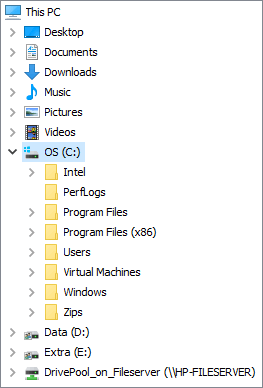
- Enhancements to TIEFolderTree and WindowsSelectDirectory() including auto-expansion of the current folder and new display options: foBrowseIncludeURLs, foBrowseFileJunctions, foComputersOnly, foPrintersOnly
- New Color Palettes: Magma, Inferno, Plasma, Viridis, Cividis, Twilight, Turbo, Berlin, Managua, Vanimo


- Through performance testing we have replaced some internal methods for more optimized Delphi ones
- Updated LibRaw to v0.21.4 for improved camera raw image support
ImageEn 14.0.1
Top Five Enhancements
- Packages for C++Builder 64bit Modern Windows
- Images can be dragged from Chrome to TImageEnMView
- JPEG compression support for saving with PDFium
- Debugging visualizer for the TIECanvas class
- Improved French localization
ImageEn 14.0.0
Top Fifteen Enhancements
- ImageEn support for Delphi 12.3 64bit IDE
- Significant code optimization, including TImageEnVect code no longer embedded when compiling (unless used), saving 450KB from all your EXEs
- Layer objects can be used with the PDF Viewer and added to PDF pages
- TImageEnProc.RemoveIsolatedPixels now allows you to clean up full color images

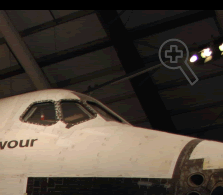
- New zoom hover button for TImageEnView
- Vectorizing of raster images (like PNG) to SVG

- Many layer improvements including free rotation of Polyline layers with complex paths (e.g. bezier curves), GDI+ anti-aliasing for shape layers, and new end shapes for line layers
- Many keyboard improvements for TImageEnView including a new KeyInteract property to handle all options, and new shortcuts: Zoom In, Zoom Out, Reset Zoom, Show Rulers, Undo and Redo
- When multiple layers are scaled together, their positions are also scaled to maintain the overall look
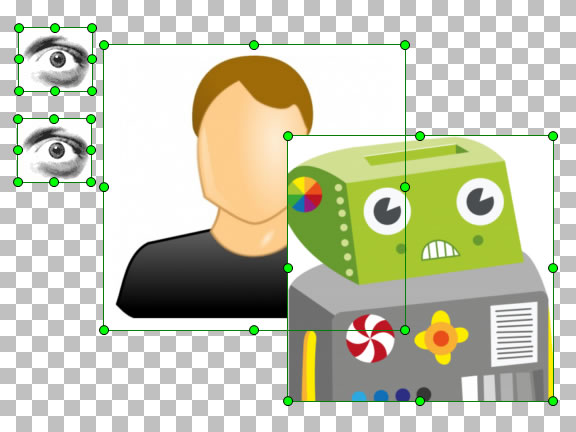
- TImageEnMView popup menu now includes a full-size image preview with navigation
- Any ImageEn shape can now be used for layer and selection grips for TImageEnView and TIEColorCurve, e.g. stars and diamonds
- Better memory handling for TIFF files with tiles or very large meta-data blocks. Also, ResetInfo() will now clear any large Photoshop meta-data blocks
- New TIEAcquireParams properties: StandardSize, AcquireCount, AutoDeskew, XScaling and YScaling
- Dynamic sizing of cached Layers for better performance at high zoom levels
- Objects in PDF pages can now be arranged (i.e. change of z-order)
ImageEn 13.7.0
Top Ten Enhancements
- Improvements to styling and layout of ImageEn dialogs, and modern styling for TImageEnView ruler
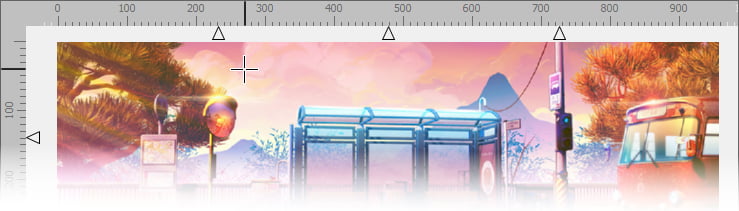
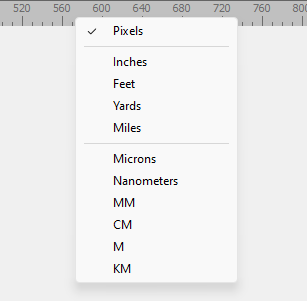
- Automatic popup menu to specify units for TImageEnView ruler
- Optimized performance and memory for PDF Viewer and TImageEnMView when loading large PDF files, including optional pre-loading of all pages
- Updated PDFium to v133.0.6844 with improvements to PDF object and annotation selection and attachment support even in older Delphi versions
- Images can be automatically optimized when saving by removing any content hidden by the alpha channel
- SVG optimizations including support for localized region settings
- New helper methods to force loading in TImageEnView and ImageEnMView using PlugIns such as ImageMagick, LibWebP, etc
- Margins, centering and enlargement parameters for IECreatePDFFromFileList helper method
- TImageEnFolderMView automatically detects adding and removing of drives
- Improved memory handling when loading TIFF files with very large data blocks
ImageEn 13.6.0
Top Ten Enhancements
- Improved caching and many other optimizations to significantly improve performance of layer editing and TIELayerMView
- Many improvements to native SVG loading, including support for circle and rect rotation, arcs, uses, defines, gradients and CSS styles
- Cube 3D LUTs can now be applied to images (including load and save support for *.cube files)


- PDF annotations can now be edited within TImageEnView (i.e. via mouse and keyboard)
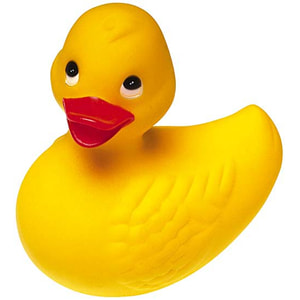
- Cartoonify effect is available as a TAction and in the Effects dialog
- Better support for using the A channel of 32bit RGBA images (as an alternative to AlphaChannel), including an AlphaLocation property and native loading of 32bit RGBA bitmaps
- Improvements to text layers, including alignment of wrapped text, a MaxWidth property, and automatic wrapping to prevent the layer exceeding the editor width
- Undo/Redo buttons on TImageEnViewToolbar have drop down menus with recent operations
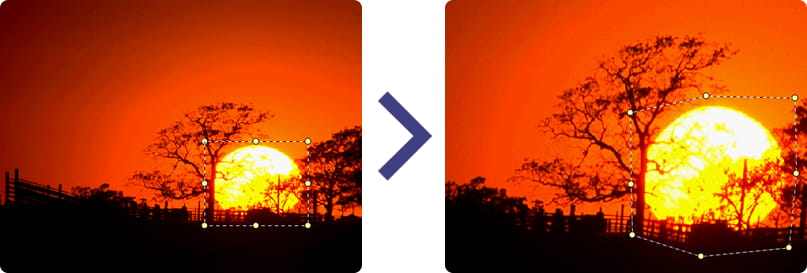
- Transform Tool supports replication when filling border areas, as well as custom colors
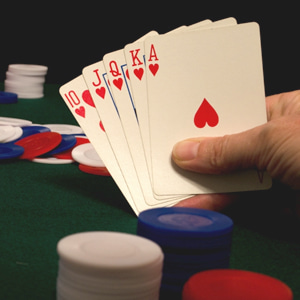
- TIEBitmap.FillWithShape supports drawing to the alpha channel to create shaped images

ImageEn 13.5.0
Top Ten Enhancements
- Native support for SVG rendering and importing as layers

- WebP Plug-in to load and save WebP files, including Lossless
- PDF Annotation and Form Field editing, including display of selected annotation, moving and positioning, and deletion
- IO and Proc helper properties for TImage and TBitmap: Instantly add support for loading and saving to all ImageEn formats, all editing operations, plus printing and acquisition
- Assign methods of ImageEn classes and components all support TGraphic, TImage, TPicture and TBitmap
- New Cartoonify method
- Saving to HEIF format now supported (via WIC)
- Automatic Orientation option when printing images and PDF pages
- TIEFileListBox support natural, case-insensitive and descending sort options
- Documentation supports #Tags to make it easier to search common topics
- Note: Installer now includes all plug-ins, you do not need to download them separately
ImageEn 13.2.0
Top Ten Enhancements
- Improvements to performance of Debugging Visualizer, plus new features including live viewing of the alpha channel
- ImageEn now integrates into the IDE including quick access to documentation, demo projects and new releases via the IDE Help menu, and version information in the About Box

- Many optimizations to ImageEn code including removing all orphaned methods and types
- New Swirl effect in Previews dialog and Retouch tool

- Improvements to PDFium support including updating to 125.0.6046.0 (which restores support for Windows 7) and PDF Engine property to control how PDF documents are loaded and saved. PDFium can now be used for all PDF output, including layer exporting
- Now provides WYSIWYG editing of PDF page objects: Objects can be selected, moved and resized, including support for clipboard
- Support for reading PNG Chunks for XMP, ICC and EXIF support
- Document text can be parsed using Google Vision (TIEGoogleVision)
- TImageEnProc can retrieve and display an array of all the most common colors in an image
- PDF documents can be printed by page indexes
ImageEn 13.1.0
Top Ten Enhancements
- New TIEEditControls component: A pre-built set of controls for image editing and effects
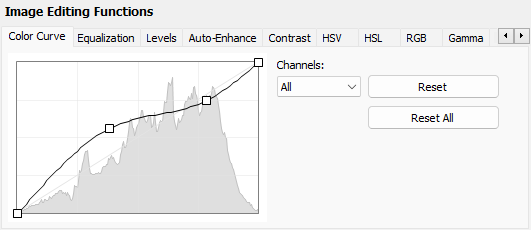
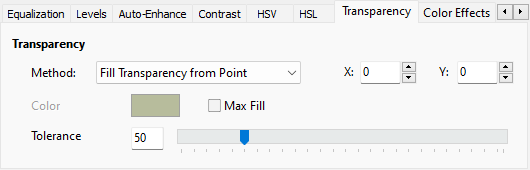
- Many improvements to Proc Previews dialog (and effects chain) including support for Transparency and Chroma Key removal, and shape cropping
- Optimizations to speed and stability of ImageEn Debugging Visualizers, plus support for visualizing TBitmap
- Enhancements to PDFium Plug-in, including font embedding, and adding images, text, lines and shapes to PDF pages
- ImageEnView allows Rounded and Polygonal selections of any ImageEn shape, e.g. explosions, dinosaurs, stars, etc.

- TImageEnProc.Crop supports shape cropping
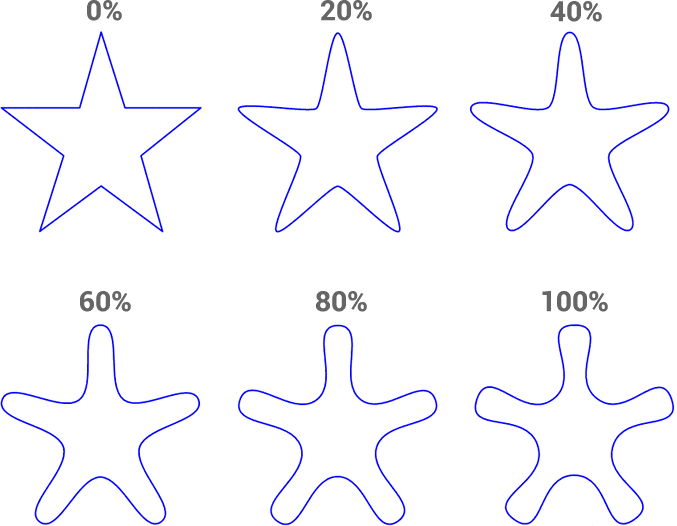
- Auto-curving property for TIEShapeLayer and TIEPolylineLayer
- ImageEn can now save legacy layer files (supported by older versions of ImageEn)
- Enhancements to ImageMagick support: including unicode filenames, multi-frame support and GIF optimization
- Warp Brush adds alpha channel support
ImageEn 13.0.0
Top Ten Enhancements
- ImageEn now includes visualizers that allow you to preview bitmaps, multi-bitmaps, layers, colors and control properties while debugging
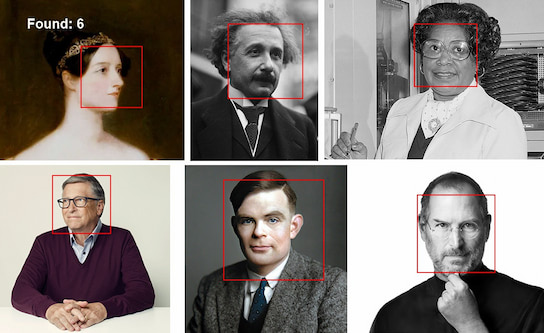
- Fifteen helper methods that with single call allow you to perform advanced tasks with IEVision: Extract text with OCR, find content, detect faces, people and other objects, deskew images, remove backgrounds, stitch photos and documents and create searchable PDF files
- Many improvements to PDF support to make it the most complete PDFium implementation for Delphi. With v13, objects in PDF pages (images, text or paths) can be parsed, edited and removed. PDF support is now available from Delphi 7
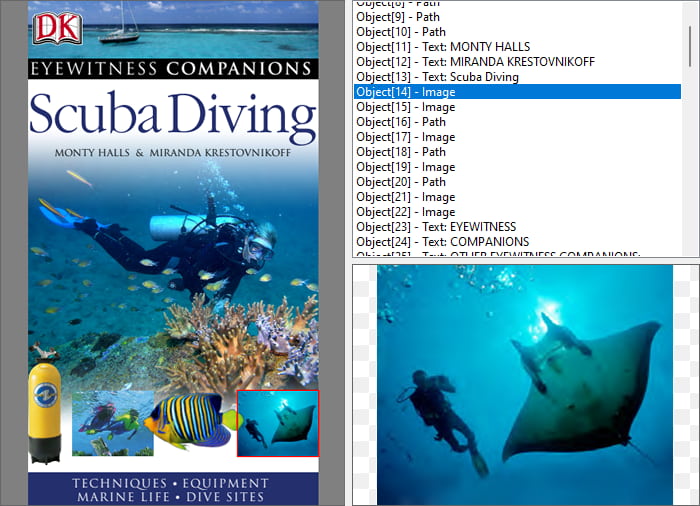
- PDF pages can be imported as layers, so all objects become editable image, text or polyline layers
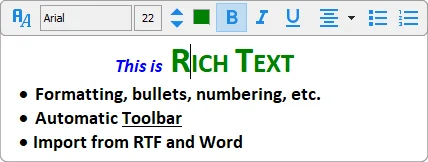
- Enhanced TIERichEdit with new features to save the selected image, insert links, get/set the RTF formatting of a selection and new actions
- Many new layer features including MoveTo and Closing breaks for TIEPolylineLayer to create more complex shapes, performance optimizations and memory handling improvements with large images, full rotation of formatted text layers, marking of grouped layers, and new vector shapes: Balloon, Link and "Delphi" Gladiator

- AutoCrop now supports inner cropping to remove all border from rotated or stitched images

- SVG and WebP are now automatically supported on Delphi 12 if Skia is enabled
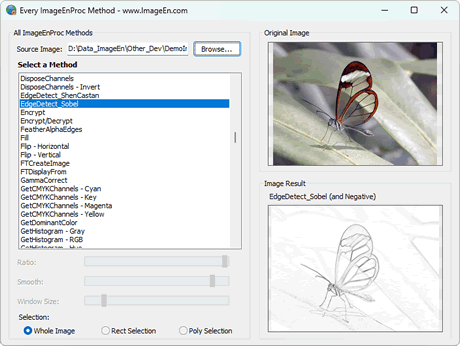
- Four new demos: Find Objects in Image, Screen Capturing, Custom User Interactions and PDF Object editing, plus thirty functions added to "Every Editing Method" demo
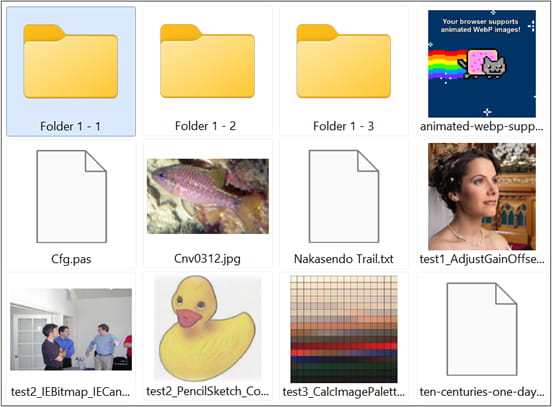
- Zip plug-in also supports ZipX, 7z and Rar
- Plus support for Delphi/C++Builder 12 Athens
ImageEn 12.5.0
Top Ten Enhancements
- New Retouch Tool to warp the image by pushing with the cursor

- New Selection Tool to warp images using a Thin Plate Spline Shape Transformation (Requires IEVision)
- Loading of images and extraction of files from Zip files, including support for AES encryption, dynamic thumbnails and zip folders
- Programmatically read and set the form fields of PDF files
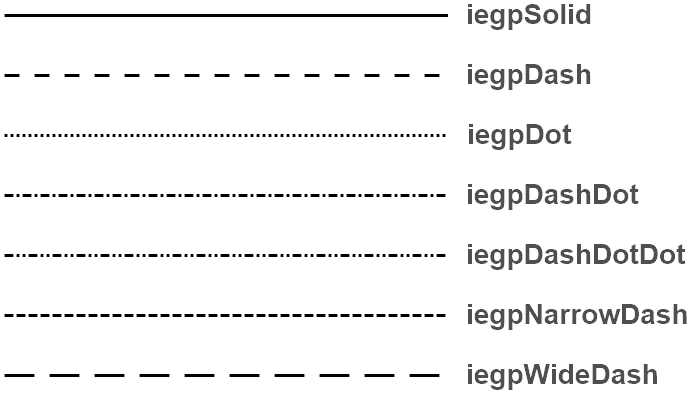
- Line and Polyline layers support pen styles like dashes and dots (including via the Layer Properties dialog)
- Automatically prompts for password when opening encrypted PDF and ZIP files (or optionally via an event)
- Other PDF improvements including document navigating by clicking page links, and validation of the alpha channel when saving to create smaller files
- Various improvements to internal dialogs, including tab navigation using the mouse wheel, and layout and localization enhancements
- Dune AAI and OpenRaster ORA formats supported by ImageMagick plug-in
- TImageEnMView/TImageEnIO support AutoSetBitDepth to optimize bit depth and other properties when saving
ImageEn 12.0.0
Top Fifteen Enhancements
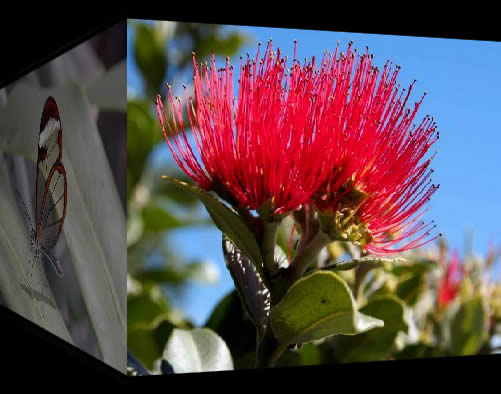
- Many improvements to transition effects, including new zig-zag wipes, custom transitions in TImageEnMView, and a single property to apply transition effect when loading images in TImageEnView
- Filtering in TImageEnMView by all text fields, file size, image dimensions and dates
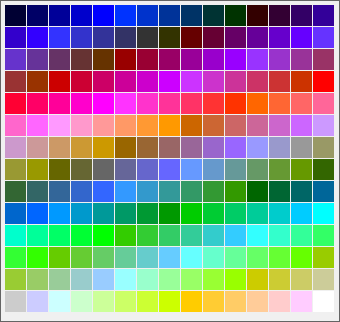
- Enhanced TIEColorPalette with default colors, hue palette, bitmap exporting, and auto selection of closest color
- Advanced TIECanvas drawing methods for stylized text, shapes, polygons, angles and lines
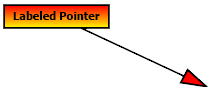

- Full VCL theming support for TIEColorCurve, TIEColorPalette, THistogramBox and TImageEnProc.DoPreviews()
- Improved text editing of TIETextLayers including auto-sizing of editor and support for hard returns
- TImageEnProc.GetDominantColor() can return a list of most used colors
- "Large thumbnail style" for TImageEnMView
- Improved TIEMetaListView with design-time preview and new properties and methods for group headers
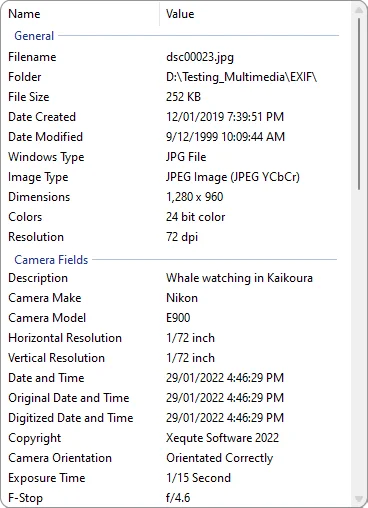
- Many improvements to documentation, including more methods in the ImageEnProc Preview section and more detail in the TImageEnVect to TIELayer Transition Info and Updating and Compatibility sections
- Updated LibRaw to v0.21.1 to support newer Canon, Nikon, Sony and other camera formats
- New method to join bitmaps with any overlapping content automatically removed
- TImageEnProc.CompareWith() supports comparing of image rectangles, and includes a new coverage parameter to improve performance with large images
- More built-in vector shapes, such as Flag, Dinosaur and Palm Tree


- Fifty new methods in Every Editing Method demo, such as: TImageEnProc.CalcImagePalette, TImageEnProc.TextOut(), TIEBitmap.StretchValues(Manual/Auto), IEVision.canny(), IEVision.inpaint(), etc.
ImageEn 11.4.5
Top Five Enhancements
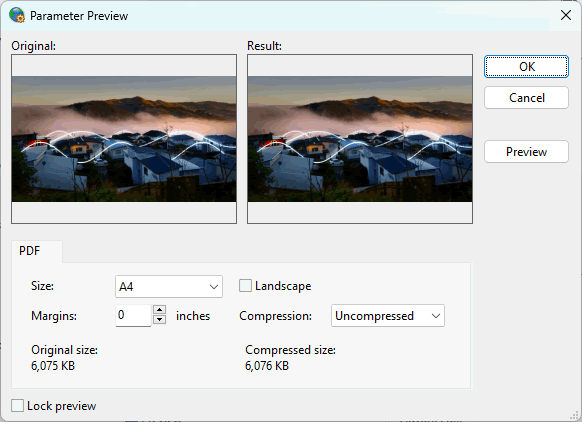
- PDF Properties can be specified in Save Dialog (and TImageEnIO.DoPreviews)
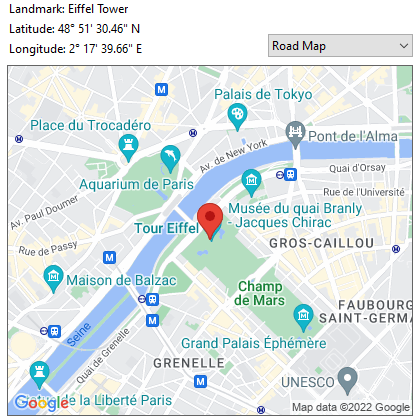
- Enhancements to Google Vision API features, including support for older Delphi versions and 1280 x 1280 maps
- You can now specify your own images as ImageEnView cursors
- New Automatic PDF Printing demo
- Many optimizations (including to PDFium) and bug fixes
ImageEn 11.4.0
Top Five Enhancements
- Use Google Vision API to recognize objects, text, handwriting, faces, famous landmarks and logos
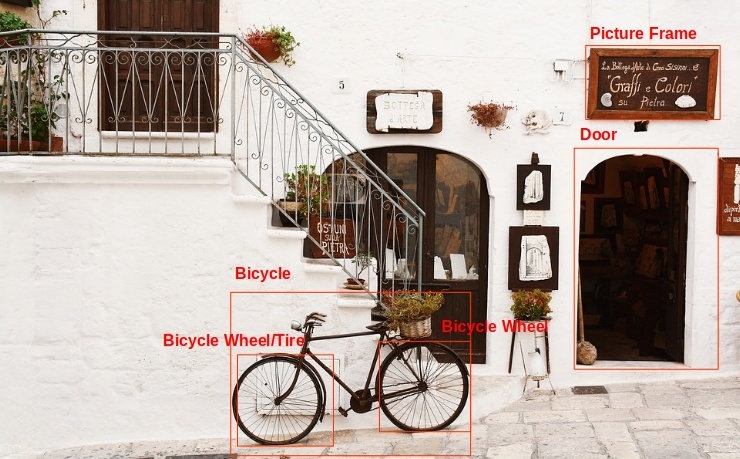
- Use Google Static Maps API to output Google maps to image
- Rotate tool now auto-scales large images for more responsive preview
- Display a preview window of image meta-data with a single method
- Unit usage has been optimized to reduce the size of your EXE files
ImageEn 11.3.0
Top Fifteen Enhancements
- Support for "Effects Chains": A list of effects, editing and color operations to apply to an image (allowing effects to be seen on the image before modifying it, for example)
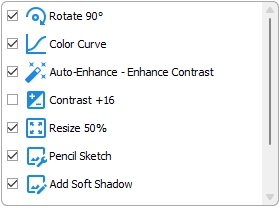
- Effects specified in TImageEnProc.DoPreviews() (and effects chains) can be applied to other images (e.g. for batch operations)
- Many new effects available to your user in TImageEnProc.DoPreviews(): AdjustGainOffset(), AutoSharp(), UnsharpMask(), fastNlMeansDenoisingColored(), smooth(), ConvertToGray(), ConvertToSepia(), Colorize(), Negative(), WhiteBalance_GrayWorld(), Reflection(), PencilSketch(), WallisFilter() and WhiteBalance_AutoWhite()
- Many improvements to localization in Proc.DoPreviews(), IO.DoPreviews(), Brush Properties and Layer Properties dialogs
- TImageEnIO can load now images directly from attached devices
- Advanced text drawing method for TImageEnProc with support for gradient, bordered and partially transparent text




- PdfViewer can output pages as formatted text
- New double-click to zoom interaction for TImageEnView
- TImageEnView.FitMode allows fit to width, height, or both, with associated actions for the PDFViewer
- Other improvements to actions, including smoothing, inpainting and alternative Auto-Enhancement methods
- Over 500 images added to documentation to show preview of all available image editing and effect methods
- Methods to show a preview window for an image (with zoom and popup menu support)
- TIECanvas helper methods to make it simpler to draw a list of rects or lines (e.g. from IEVision)
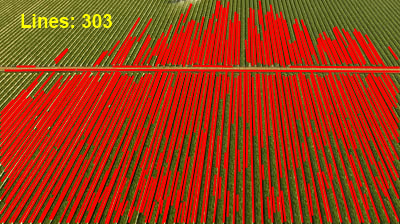
- New properties to allow specifying the compression quality and other custom defines for ImageMagick
- New demo previewing the effect of every ImageEnProc method
ImageEn 11.0.1
- Fix for corrupted component icons on older Delphi versions
ImageEn 11.0.0
Top Ten Enhancements
- New component to display and edit DICOM tags, EXIF and IPTC data, as well as viewing XMP, PDF and File information
- Significant improvements to DICOM tag editing, including unicode support and tag injection for multi-frame files
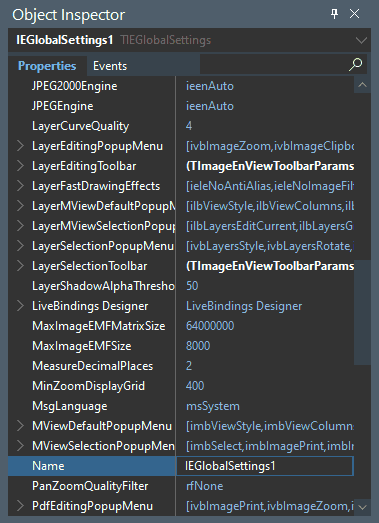
- New component to configure ImageEn global settings at design-time
- Wider format support including reading and writing of JPEG XL and WebP format and reading of HEIF, AVIF, TTF, OTF and PICT files (via plug-in)
- Updated to PDFium v5065 for improved PDF display, including unicode password support
- Many meta-data enhancements, including output of image and PDF properties to TStringGrid, TListView or TStringList, and exporting to JSON and text
- Alternative background can be specified for the non-image area of TImageEnView, as well as the direction of gradient backgrounds
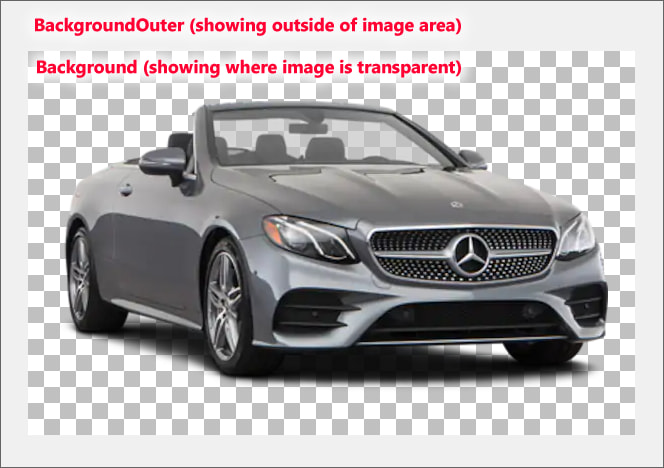
- ImageEnView now supports file dropping for quick display
- TIEFolderTree can display attached phones and other devices
- ImageEn windows remember their position
ImageEn 10.3.5
Top Ten Enhancements
- Custom items can be added to ImageEn hover toolbars and popup menus
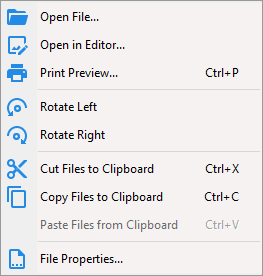
- Can specify default DPI and output sizes for better quality when outputting PDF pages to bitmap, canvas, etc.
- Frame color of the selected page in PdfViewer can be specified
- Improved frame caching to speed up animated GIF loading
- Support for more image formats, including 8bit JPEG DICOM, special JPEG encoded TIFF files, and also Canon CR3 files (optionally falling back to high quality JPEG)
- Complete redo of five demos: Icon Editor, Lossless Rotation and Cropping, Threaded Processing, Batch Editor, and Cells and Grid
- Landscape page layouts can be specified when saving PDF files
- Completed translation of Farsi and Serbian (mostly machine translated)
- Can exclude layers from being scaled by zooming
- TImageEnMView Snapshots can now be larger than 2GB and support progress while loading and saving
ImageEn 10.3.0
Top Ten Enhancements
- Now supports virtual multi-bitmaps allowing large multi-frame files to be rapidly generate in memory
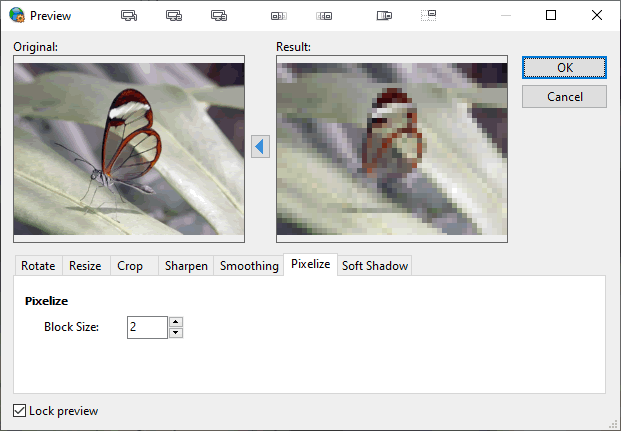
- Improved "Image Processing" dialog with better layout and new functions: Rotate and Crop, Pixelize and "Symmetric Nearest Neighbour" smoothing
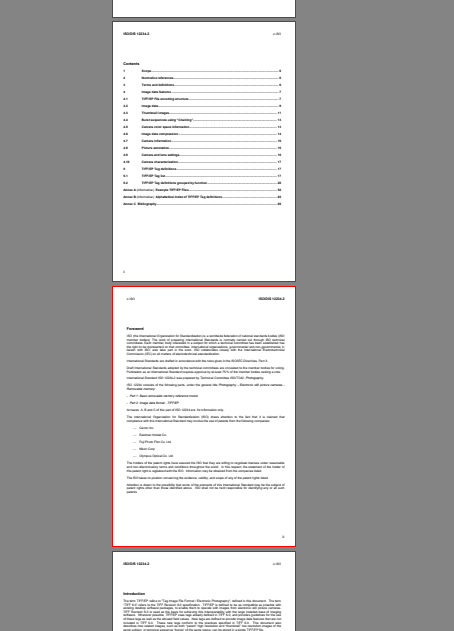
- Reads PDF bookmarks for document navigation in the PDF viewer
- Layer snapping: Easier to position and align layers by snapping to a virtual grid
- New resampling/zoom filter, which is both fast and hiqh quality: "WIC High Quality Bicubic"
- Many PDF enhancments including exporting of pages to file, improved styling of selections in PDF documents with auto-merging, property to determine whether document contains a form, etc.
- Much improved TIEFolderTree with keyboard shortcuts and better dragging and dropping
- New ImageEnProc functions, including flood filling of an alpha area with color and inverting (Negative) of individual color channels
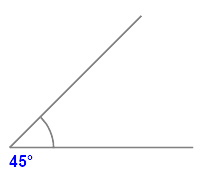
- Improved accuracy of angles with TIEAngleLayer
- Automatic smoothing of the edges of anti-aliased layers
ImageEn 10.2.0
Top Ten Enhancements
- ImageEn now uses a DLL for localization support. If you do not need localization it reduces your the EXE size by 780KB. If you use localization it adds support for eight more languages: Czech, Danish, Finnish, Hungarian, Norwegian, Polish, Swedish, Slovenian
- The ImageEnViewToolbar can now be used to view and edit PDF files
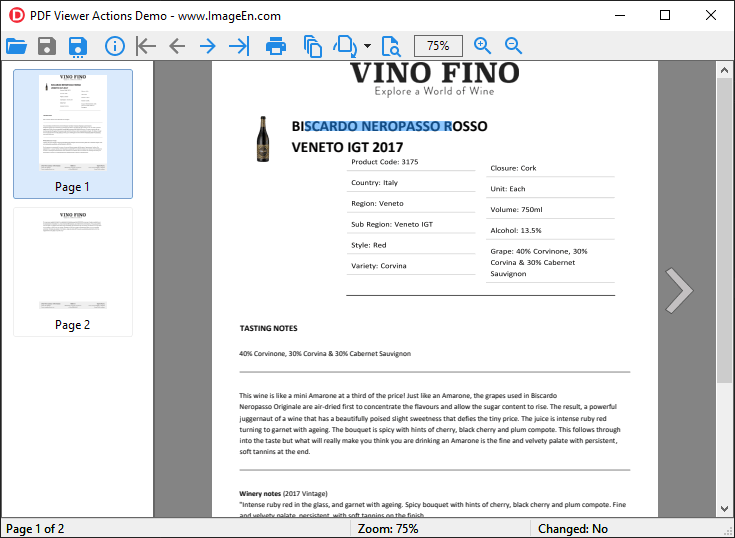
- Now supports high quality PDF printing, including via ImageEn TAction classes
- Various improves to measurement, including new interactions to measure areas and lengths with a polyline and more detail in hover hints, e.g. perimeters when measuring by rectangular or circular areas
- Masks can now be applied to non-image layers, like text and shapes
- TIERichEdit adds support for all RichEdit 8.0 features, including spell checking
- All ImageEn keyboard shortcuts can now be easily customized or disabled
- New mouse interaction allows selection of text or images in a PDF files (with automatic detection based on what is under cursor), plus it is much easier to switch to pan and zoom mode
- Many other improvements for PDF file viewing, including new options for selection, highlight and form field colors, and performance enhancements
- Now supports Delphi 11
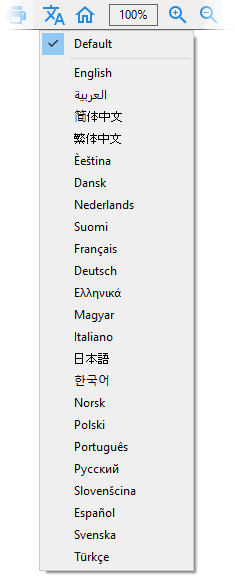
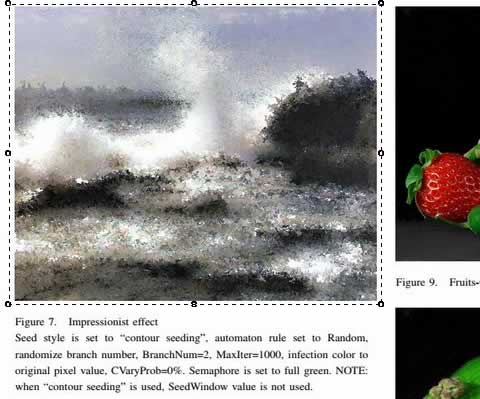
Language selection with localized languages
ImageEn 10.1.0
Top Ten Enhancements
- Numerous enhancements to PDF support, including significantly improved performance with large files, eleven PDF events, annotation rendering, corrupt file handling and much more
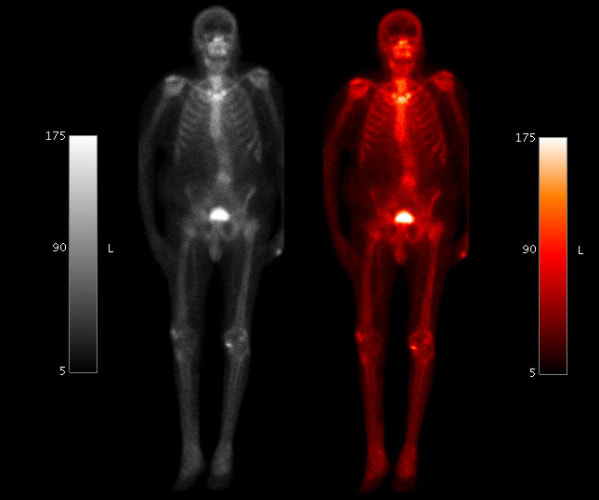
- DICOM images can now be displayed with alternative color palettes, with five standard medical palettes included
- Improved styling for many built-in dialogs, including enhanced print preview dialogs, gradient preview in Layer and Brush Property dialogs, and new devices glyphs in Acquisition dialog
- Improved support for VCL theming, particular with ImageEn toolbars, TIEFolderTree and TIEColorButton. Also, all control types are now available on themed toolbars
- Many performance improvements, including with animated GIFs, TIEFolder tree and general processing. Also, TIEMultiBitmap can now load frames on demand
- Mouse interaction to adjust the window level and width (brightness and contrast) of an image, e.g. for DICOM
- Mouse and keyboard can be used to increase/decrease curvature of TIELineLayer. Also curve line quality is much improved

- TImageEnFolderMView can show file preview when dragging to/from Windows Explorer
- 12 new built-in shapes (arrows and chevrons)
- "Fit Cropping" in ImageEnView to better fill the control with the image
ImageEn 10.0.1
Top Ten Enhancements
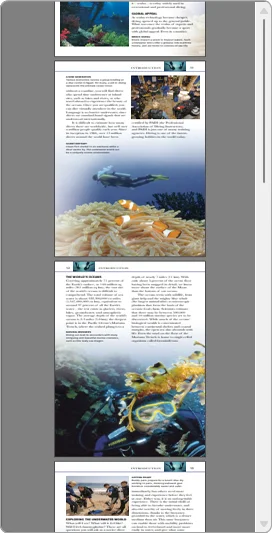
- PDF Viewer supports an "All Pages" view
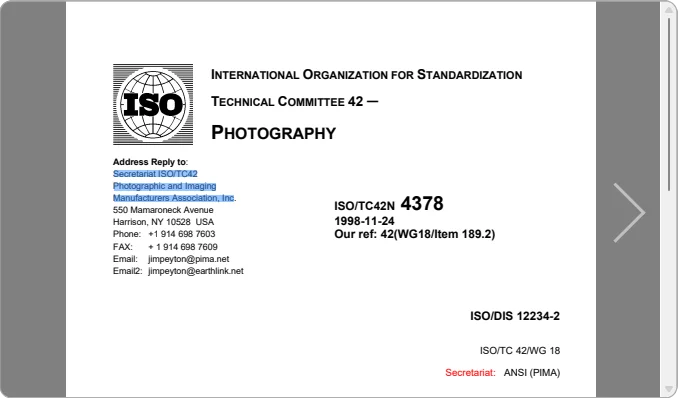
- Find Text can search the entire PDF document and scroll located text into view
- TImageEnMView uses on demand loading with large PDF documents for much faster performance
- Further high DPI improvements, including scaling of the ImageEn Open/Save dialogs and better support for multiple monitors
- Global methods to add, merge and delete pages from PDF files
- Many other PDF enhancements including adding and removing attachments, meta-data support, page rotation, and form editing improvements
- Aspect ratio now considered when scaling JPEG for optimized loading
- All Russian text is now natively translated
- Now uses custom GDI+ dash drawing for improved selection styling (e.g. when cropping)
- Various stability fixes and improvements
ImageEn 10.0
Top Fifteen Enhancements
- Support for PDFium for loading of rendered PDF pages, viewing and editing of PDF documents (moving, importing and deleting pages), selection of text and editing of form fields
- Text layers and text drawing methods now support borders and gradient fills
- Advanced features added to TIERichEdit: Find, Replace, Insert Image, Insert Object, Paste Special, and more
- Tags can be injected into DICOM files without modifying the image
- DICOM tags can be anonymized (based on official recommendations)
- Loading of large images in TImageEnView can be deprioritized or loaded as thumbnails to prevent them slowing display
- Many improvements for ImageEn toolbars, including custom buttons, custom status and click actions and optional keyboard shortcuts

- 21 new actions, including eleven PDF Viewer actions, six TIERichEdit actions, and more
- Improved ImageMagick support, particularly with SVG, with support for Alpha channel and scaled loading
- Layers now support linking to create web links and clickable objects
- Major optimization of XMP/Dict assignment code (up to 20x faster) significantly speeding up loading of images with large XMP data blocks, such as PSD
- Improved styling of CropTool with anti-aliasing and all TImageEnView selection properties
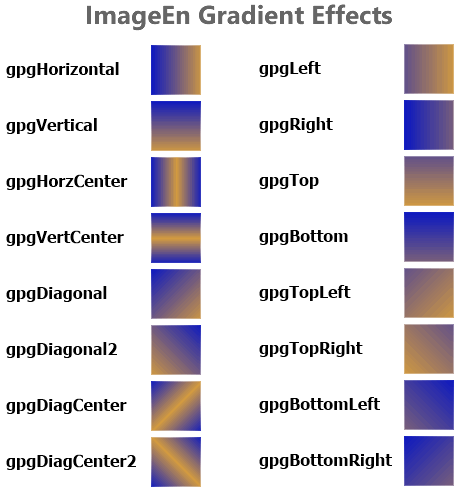
- Eight new gradient effects
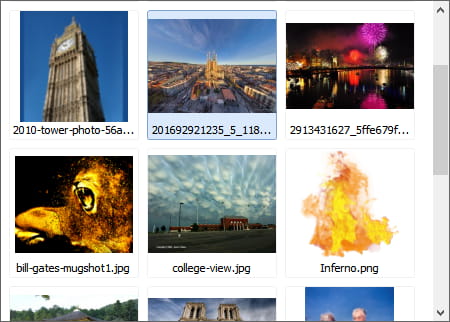
- Single method to automatically register all available plug-ins
- ImageEn toolbars can now be used in DLLs
ImageEn 9.3.1
Top Five Enhancements
- Significantly optimized performance for TImageEnMView and TImageEnFolderMView
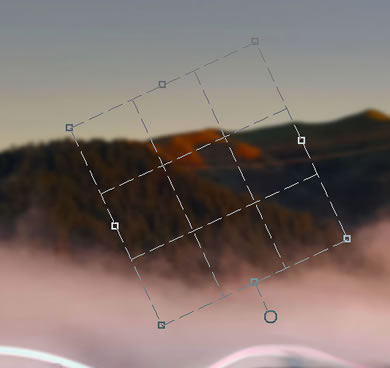
- Crop Tool enhancements including rotation grip and easy reselection
- Improved TIERichEdit including new Open/Save methods that support Word import/export and prompt dialogs
- High DPI support for TIEFolderTree and TIEFIleListBox
- GPS info can be retrieved from some RAW formats without accessible EXIF
ImageEn 9.3.0
Top Ten Enhancements
- All ImageEn toolbars and dialogs support High DPI
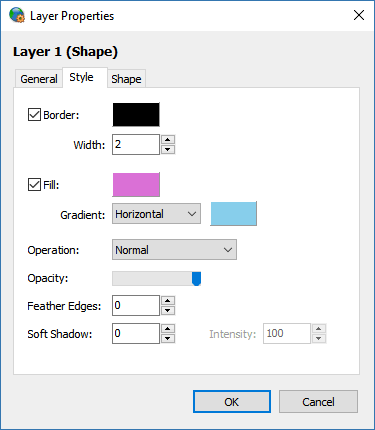
- Many enhancements to WIC support, including EXIF reading, 32bit PNG and alpha support
- TImageEnMView and TImageEnFolderMView support natural filename sorting (e.g. numbered filenames are better sorted)
- ImageEn Open/Save dialogs support all multi-select and Open Options when using modern Windows styling, and offer faster preview
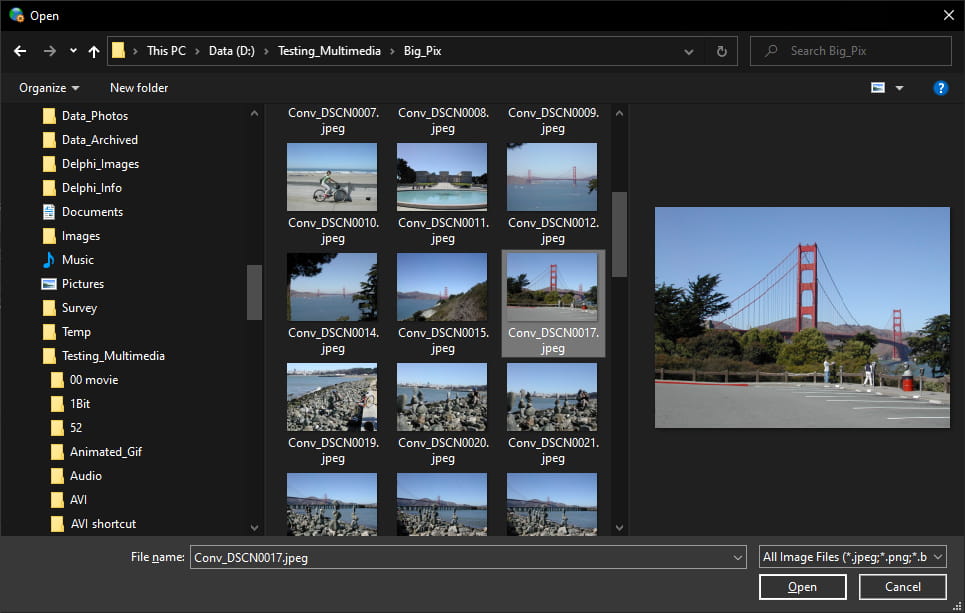
- Improvements to TIFF support including 32 bit (HDR) TIFFs and Planar tiffs containing gray scale and alpha
- Smooth zooming interaction for TImageEnView
- ImageEn toolbars can be custom scaled
- When pasting from the clipboard to a selection it supports transparency
- New demo showing all ImageEn Dialogs (\Demos\Other\ImageEn_Dialogs\ImageEn_Dialogs.dpr)
- Enhanced demo to compare performance of three imaging engines: Native, WIC and DLL (\Demos\InputOutput\IEViewPerformance\Performance.dpr)
ImageEn 9.2.6
Top Five Enhancements
- Pressure sensitivity of tablet pens is now supported by event or when using the brush tool (to adjust brush size and opacity)
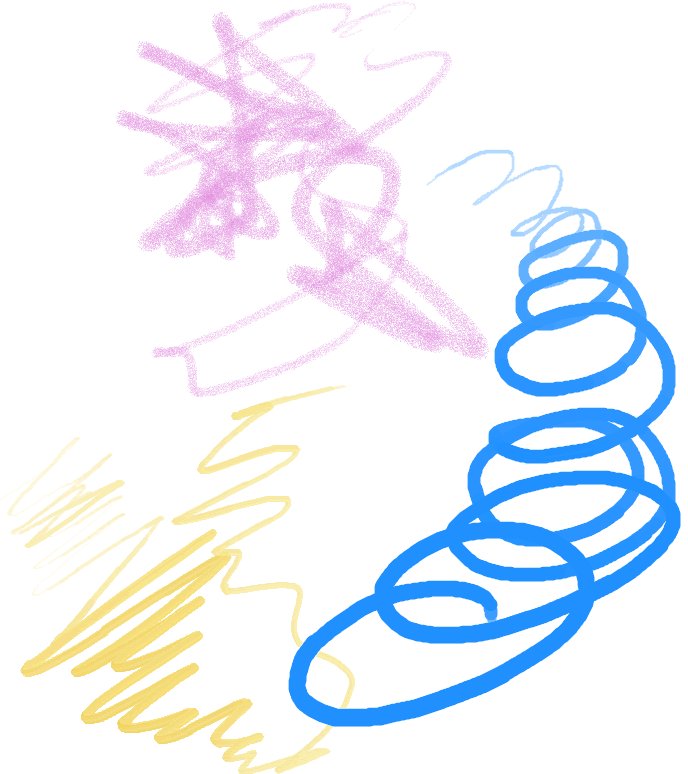
- Many improvements to TIEFileListBox: Thumbnails, sizable icons automatic refresh, system popup menu and column support
- DICOM format now supports Segmented Palette Color Lookup Table and 12bit JPEG encoding (requires IELib or IEVision)
- PSD supports reading 32 bit per channel (HDR) images
- Drag/Drop from/to Windows Explorer from TIEFolderTree
- Important performance fix for TImageEnMView/TImageEnFolderMView
ImageEn 9.2.5
Top Five Enhancements
- Can specify imaging engine for JPEG/PNG/JPEG2000 from Native (No DLL), DLL (Better performance) or WIC (Windows loading)
- Better design-time support with ImageEn Open/Save dialogs, including full preview
- TImageEnMView can load multi-frame WIC formats
- File formats can now be detected using WIC
- Text can now be offset in text layers to better fit into shapes, such as speech bubbles
ImageEn 9.2.0
Top Ten Enhancements
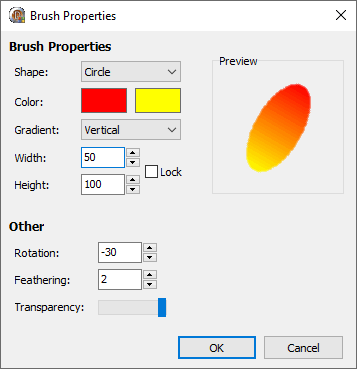
- New Brush Properties dialog available via code, actions and in-built toolbar
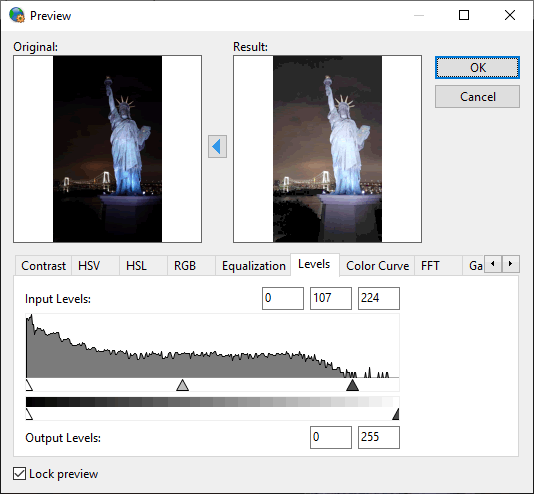
- Image levels adjustment in code and Proc Properties dialog
- Design-time preview of TImageEnView and TImageEnMView with either live or demo content
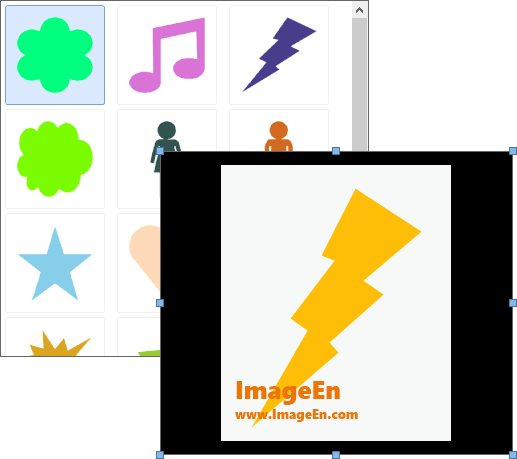
- Published more visual properties and improved background styles for TImageEnView and TImageEnMView
- Improved LibRaw support with latest library and can now read EXIF from Raw images
- New AutoSetBitDepth property will automatically update bit depth settings just by specifying the PixelFormat
- Improved layout for TIELayerProps and Layer Properties dialog and copes better with narrow layout
- TPicture can be assigned directly to TIEBitmap or TImageEnView and alpha channel is supported
- Various performance enhancements to clone, brush and retouch tools, GDI+ functions and TImageEnView navigator
- Run all compiled demos directly from the help documentation, plus new "Large TIFF Viewer and Editor" demo and redo of TIFF Handler demo
ImageEn 9.1.1
Top Five Enhancements
- Strong focus on bug fixes and stability
- Many enhancements to help documentation
- Improvements to Retouch tools, including better smudging effect and optional blurring
- Various improvements to DICOM support
- Brush painting supports images that aren't ie24RGB
ImageEn 9.1.0
Top Five Performance Enhancements
- TImageEnMView can use a persistent disk cache for much improved performance
- When loading the embedded JPEG and thumbnails in RAW files, they can now be scale loaded to a desired size for better performance, particularly in TImageEnMView
- TImageEnView now offers Asyncronous Loading load images in a background thread without affecting the UI
- Much better performance when playing animated GIF files in TImageEnView
- Various code optimizations to improve performance
Top Ten General Enhancements
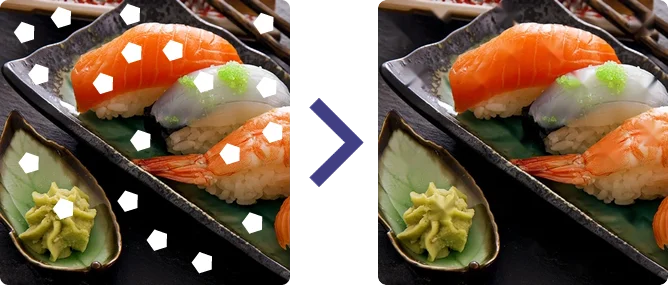
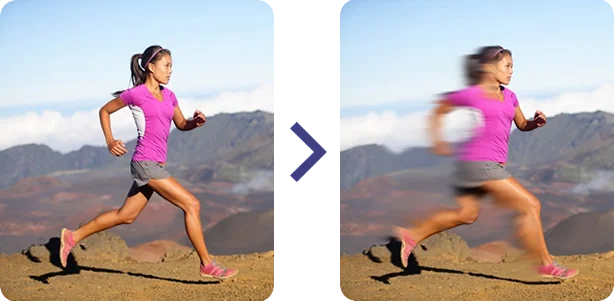
- New Retouch tools: Interactive brushes to fix image content: Smudge, Inpaint, Blur, Smooth, Sharpen, etc.

- Improvements to TImageEnMView including automatically padding thumbnail spacing for improved styling, navigation by clicking the first letter of a filename and support for folder shortcuts
- Many enhancements to built-in toolbars, including full support for theming

- New Smart Eraser Tool removes background without erasing subject
- ImageEn can now automatically use Windows 10 style open/save dialogs with preview support and automatic filters
- Added "Effects" section to Layer properties (which includes support for the new InnerGlow style)
- Many improvement to brush tools, including anti-aliased brushes and asymmetrial cloning
- IELib64 DLL is not needed for 64bit apps. ImageEn can automatically use WIC to load JPEG and PNG images
- Now fully supports reading and writing of DICOM files without images (tag only files)
- Support for Canon CR3 Raw images
- Support for Delphi/C++Builder 10.4 Sydney
ImageEn 9.0.0
Top Fifteen Enhancements
- Fully customizable toolbar components for TImageEnView and TIERichEdit

- Automatic hover toolbars for ImageEnView for viewing, editing, selections and layers
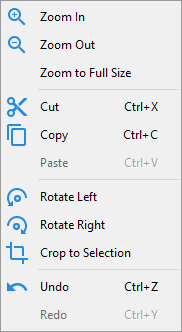
- Customizable, context sensitive popup menus for TImageEnView, TImageEnMView, TImageEnFolderMView, TImageEnLayerMView and TIERichEdit
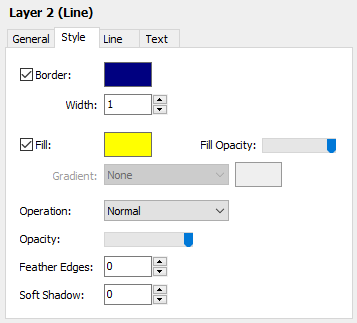
- New TIELayerProps component to view and edit properties of selected layer
- 28 new actions for TImageEnView, TImageEnMView and TImageEnFolderMView, plus you no longer need to attach an ImageEn control
- Twenty-seven actions for TIERichEdit for rapid development
- TImageEnView can be attached to a TImageEnMView to show a preview of the selected image (with navigation)
- TImageEnMView can be filtered by filename or custom code
- Rotation grip to make it easier and more obvious to rotate layers
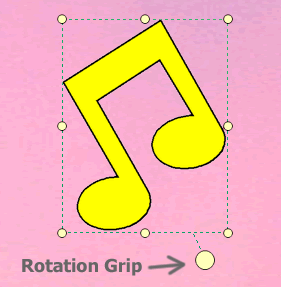
- TIELineLayers can now be curved
- Numerous other layer improvements: horizontal and vertical flipping, graduated masks, more accurate rotation and sizing, and transparent background for rich text layers
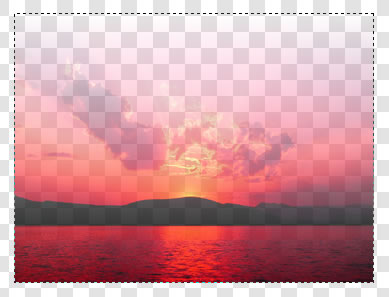
- Full Greek translation (partial computer generation)
- Easily create curved selections in code

- CaptureFromScreen allows capturing of specific monitors
- Improved memory handling and other optimizations
- Updated to latest version of LibRaw to support newer cameras
- Various Layer improvements, such as DrawToCanvas method
- Other improvements and fixes
ImageEn 8.7.5
Top Five Enhancements
- TIEDBBitmap supports Layer saving and ImageEn and Wang annotations
- PNG compression is now available for saving ICO files
- TIEFileDragDrop component for dragging and dropping of files to controls
- Improved handling of points for TIEPolylineLayers
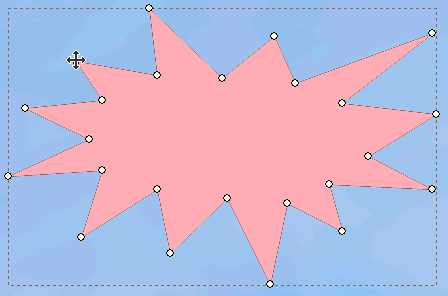
- Hard returns can be specified for TIETextLayers
ImageEn 8.7.0
Top Five Enhancements
- TIETextLayer now supports Rich Text formatting, with optional pop-up toolbar
- New Rich Editing control with an optional hover toolbar
- New dialog component to select Windows folder
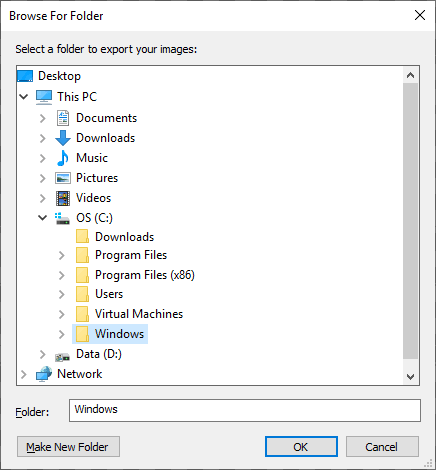
- Area, perimeter and centroid can be calculated for TImageEnView selections and TIEPolyline layers
- New option to use either ImageEn native image open/save dialogs or standard Window dialogs
ImageEn 8.6.0
Top Five Enhancements
- New TIEAngleLayer to display and measure angles within an image
- TImageEnMView and descendents now allow in-place editing, including file renaming in TImageEnFolderMView and layer renaming in TImageEnLayerMView
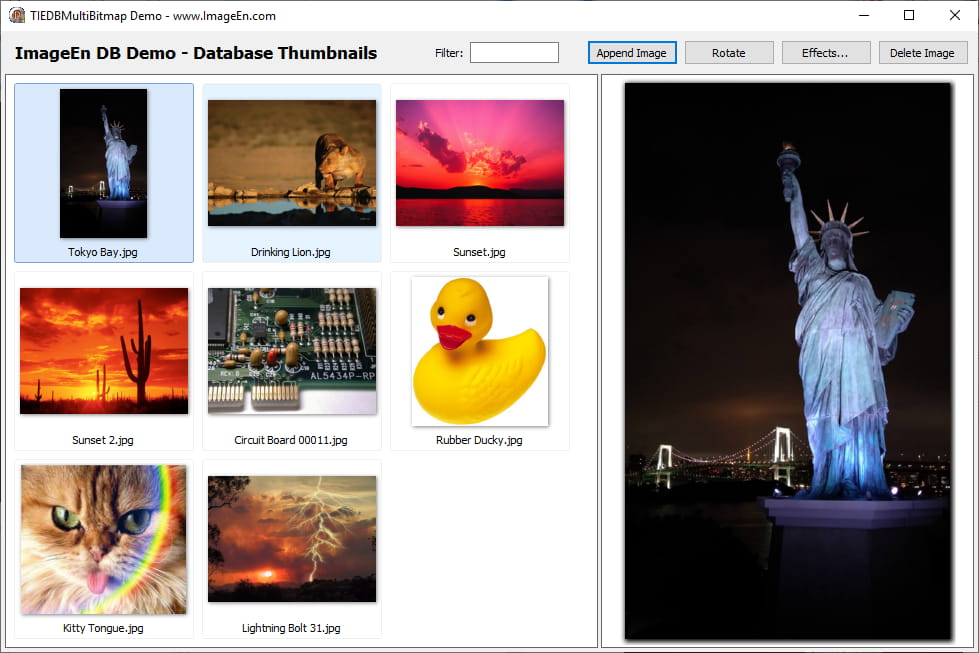
- Many improvements to database functionality, including use of TIEDBMultiBitmap to show multi-frame images at the current database cursor, plus five FireDac demos
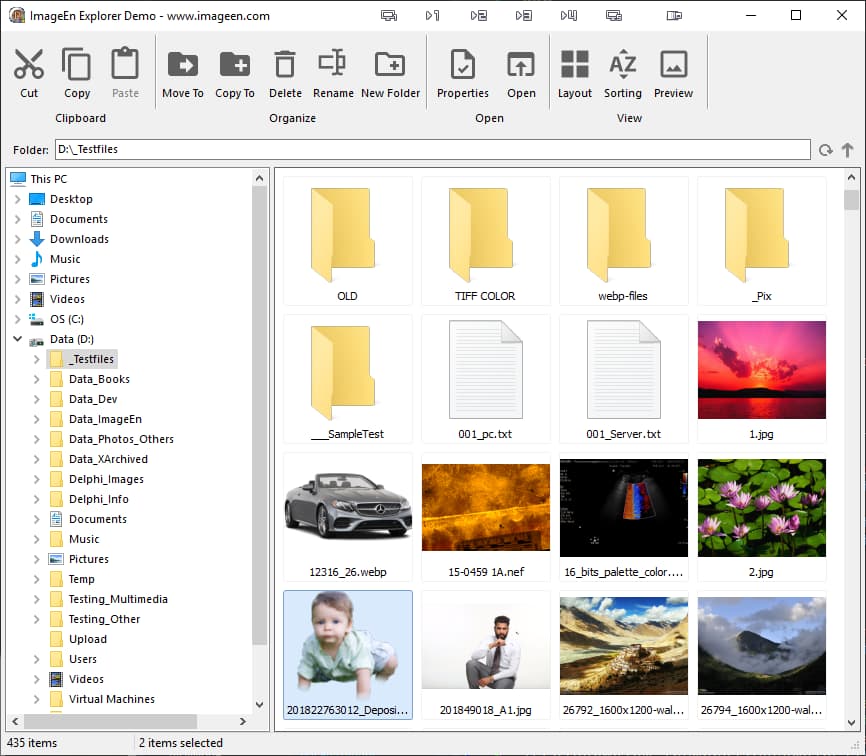
- Improved TImageEnFolderMView, including new methods and TActions for to show properties, edit, print file, etc, more keyboard shortcuts, and complete "Windows Explorer"-style demo
- Enhancements to CaptureFromScreen, including specifying a window to capture
ImageEn 8.5.0
Top Ten Enhancements
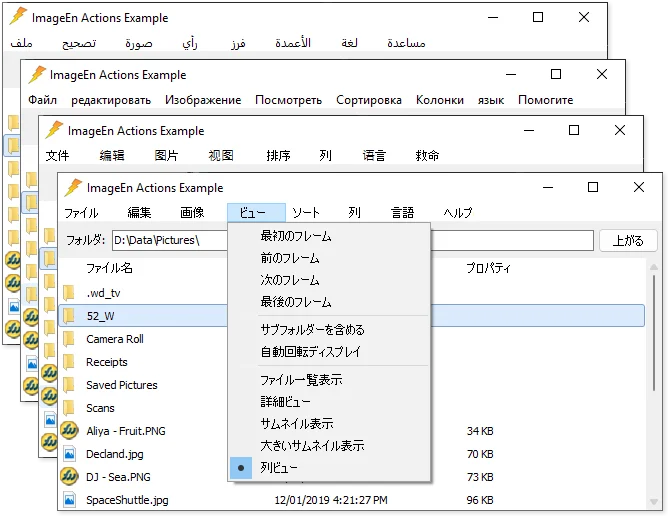
- Complete translations for 13 languages: Italian, French, German, Russian, Chinese (Simplified and Traditional), Spanish, Portuguese, Arabic, Japanese, Korean, Dutch and Turkish
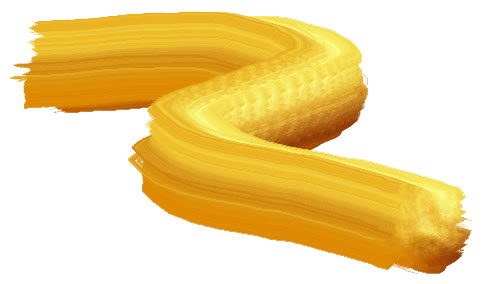
- Many improvements to the BrushTool, including support for rotated and asymmetric brushes, and brushes containing transparency
- Many optimization and new properties for JPEG 2000 support, including support for loading and saving very large images
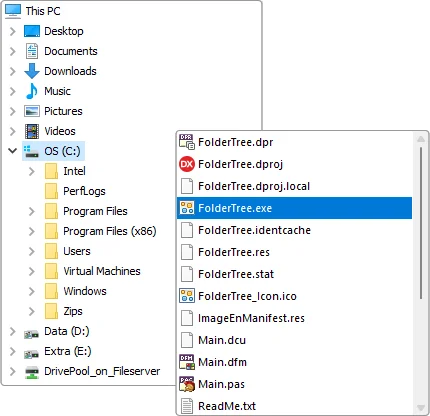
- Two new controls: TIEFolderTree, a Windows Explorer style shell TreeView, and TIEFileListBox, a file listbox with native icon support
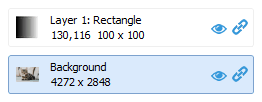
- TIELayerMView can now display a layer masking button allowing you to quickly set a layer as a mask
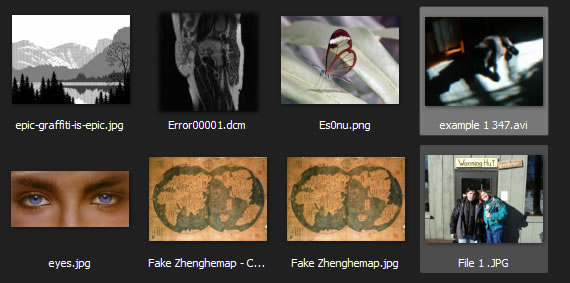
- TImageEnMView can now browse connected cameras and smart phones
- Many improvements to Portable Device functionality including retrieval of thumbnails
- New iemsFilenames display style for TImageEnMView
- TImageEnView ruler adds support for all standard unit types
- Stock Icons can be retrieved from Windows
ImageEn 8.3.0
Top Ten Enhancements
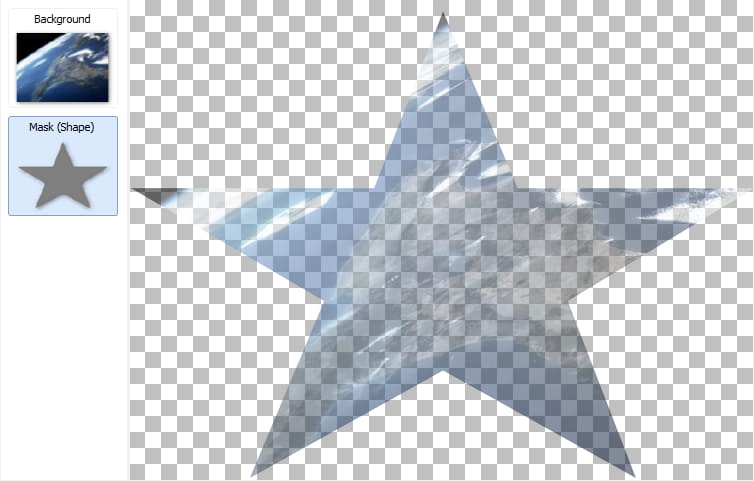
- All layer types can now be used as masks, so you can easily create stylized text, gradient masks and shaped images
- "New Layer" dialog allows you to configurate and style a layer to insert into your image
- Many WIC improvements, including support for auto-rotation of camera images and meta-data when using Fast Loading via WIC. Also outputs codec information in TIOParams
- Google's WebP format is now supported via WIC
- Updated to the latest Raw library version, and ImageEn now automatically loads Camera Raw files using built-in Windows codecs, if ImageEn's DLL is not included
- When outputting a series of images to AVI, you can now include an audio track
- Styling improvements for TImageEnMView including, Explorer-style hover effect and a color set similar to Windows dark theme (without needing VCL theming)
- TImageEnLayerMView now allows layers to be excluded, and supports all keyboard shortcuts of TImageEnView
- New style options for layers include more gradient options, and fills can now be a different opacity from borders and text
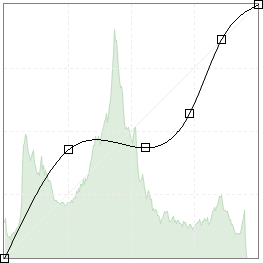
- A set of editing options allow more control over permitted behavior in TIEColorCurve
ImageEn 8.1.2
Top Five Enhancements
- Enhanced TImageEnLayerMView with background layer locking and custom hover hints
- Layer Properties dialog improvements including drawing of Line End shapes in combobox, plus optional image-only display for all combobox captions
- Polyline layers can be created from a selection
- All pages can be previewed when printing posters
- Full localization support for Russian and Dutch languages
- Support for Delphi/C++Builder 10.3 Rio
ImageEn 8.1.1
Top Five Enhancements
- TImageEnView Buttons
Optionally add navigations buttons to your image display
- Improved Dialog Styling
Various enhancements to the layout of ImageEn dialogs to improve styling, including navigation buttons in Print Preview dialogs.
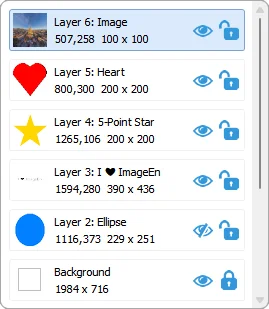
- Custom Text for Layer View
Text for TImageEnLayerMView can now be easily customized
- Step Property for Brush
A mandatory step can be specified when using the Brush Interactive tool for more complex paint operations
- Custom Interaction Hints
Color and styling of interaction hints can now be customized
ImageEn 8.1.0
Top Ten Enhancements
- Layer Display Component
New component that shows preview of all layers in a TImageEnView, and allows drag/drop reordering and other editing
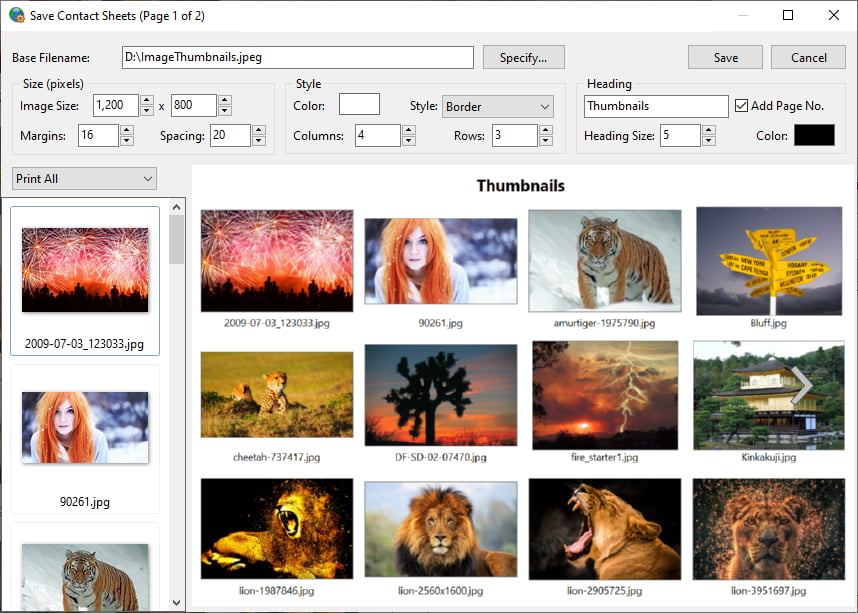
- Save Contact Sheets
New built-in dialog allowing the content of a TImageEnMView to be saved as a set of contact sheets (images of thumbnails)
- Thumbnail Buttons
Can now easily add buttons to the thumbnails of a TImageEnMView
- Flood Fill and Alpha Fill Tools
New interactive tools that allow your users to replace similar colors in an image with a new color or transparency
- Enhanced Print Previews
Many improvements to Print Preview dialogs, including resizing, Maximize options, headings and quality previews
- Drag/Drop Layer Selection
Click and drag to select multiple layers
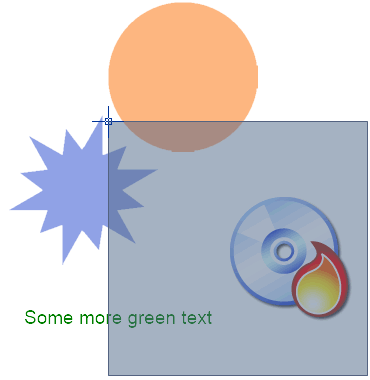
- Color Picker
Allow users to select colors within the image
- Layer Rotation Enhancements
Shape and Polyline layers now maintain their size when rotated. Text layers support aspect ratio locking and border rotation
- Easier TImageEnView Scaling
Now much simpler to scale a TImageEnView when using rulers and measurement tools (e.g. "Make 100 pixels equal 5 cm")
- Now over 280 ImageEn Actions
New Actions to speed up your development: TImageEnViewLayersCropBackgroundAll, TImageEnMViewDoSavePreviewDialog, TImageEnSetLanguage, TImageEnViewColorFillTool, TImageEnViewAlphaFillTool, TImageEnViewColorPicker, TImageEnViewPromptForColor, TImageEnViewRemoveChromaKey
ImageEn 8.0.1
Top Five Enhancements
- WIC loading can be used for digital raw camera formats (so DLL's are not required)
- Can use WIC for loading and saving of specific file formats (e.g. PNG or JPEG)
- Saving to DirectDraw Surface format
- Much improved Aspect Ratio handling for shape and polyline layers
- Various bug fixes
ImageEn 8.0.0
Top Fifteen Enhancements
- Editing of Polyline and Line Points
New Polyline and Line layers can now be created by clicking points. You can also add, remove and edit points of existing layers
- Curve Layers
Polyline layers now allow insertion of curves. You can also add curves when editing a polyline layer by holding down the Alt key
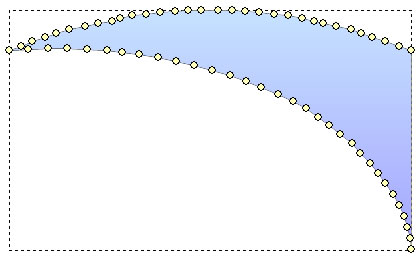
- Full PDF Exporting
Scalable PDF documents can be created using the new TIEPDFBuilder class or exporting of ImageEn layers
- Enhanced Shape Layer
The ImageEn shape layer now uses GDI+ for improved performance, full rotation and gradient support. It also adds forty new built-in shapes, including: Candy, Sun, Cog, Brooch, Flower, Splat, Crown, Tag, Pin, Radiance, Raindrop, Smile, Rainbow, Marker, Banner, Power, Music, Pointing Hand, Female and Male
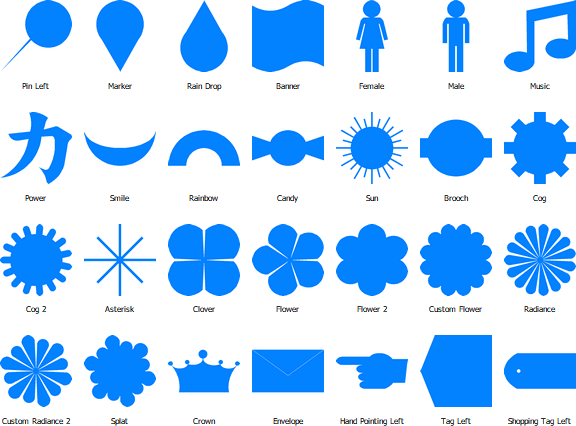
- Color Curve Editing
Now includes a color curve editing component. Colors can also be manipulated by a curve in the Previews dialog
- Layer Properties Dialog
Built-in layer properties dialog allows manipulation of common properties
- Many Other Layer Improvements
More gradient options, keyboard shortcuts, layer preview during creation, word-wrap and auto-shrinking of text
- Measurement Tools
New mouse interactions to measure lengths, rectangular and elliptical areas
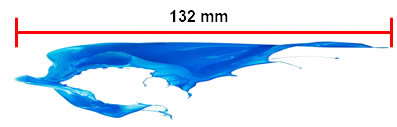
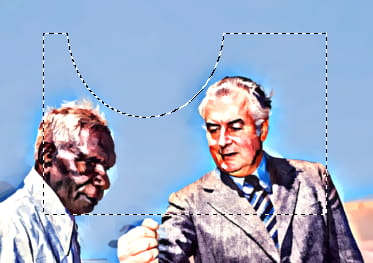
- Selection Subtraction and Sizing
Circular and Polygon selections can now be resized. You can also hold the Ctrl key to remove from an existing selection
- Faster Loading
New features for improved performance, including WIC property to speed up loading of JPEGs (200% faster) and PNGs (30% faster), retrieval of embedded preview images from Camera RAW images, and OptimizeLoadingParams method to automatically set the fastest loading properties
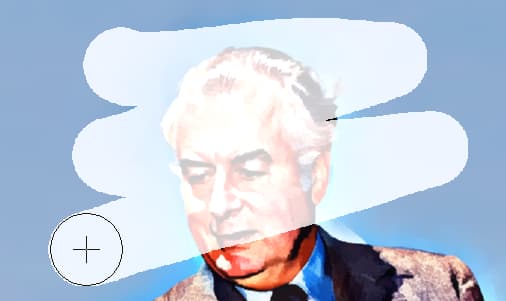
- Eraser Brush and More
Many enhancements to brush tools, including an eraser brush, alpha compositing and improved performance
- Enhanced Printing
New event to customize printing, including a heading. Print Previews now show text. Contact/thumbnail sheets can also be output to bitmap
- New File Formats: DirectDraw Surface, HEIF, etc.
ImageEn now supports all image formats of Microsoft WIC, including DirectDraw Surface, HEIF, etc.
- Many New Actions
Dozens of new actions available: EraserTool, ConvertToPolylineLayer, MeasureLength, MeasureRect, MeasureEllipse, ZoomAndScroll, EditLayers, EditLayerPoints, ClickCreateLineLayers, ClickCreatePolylineLayers, DrawCreatePolylineLayers, LayerFontSelect, LayerFontEnlarge, LayerFontReduce, LayerAlign, Layer Properties, etc.
- EXE Size Optimization
Dicom resources have been moved to an external unit, reducing the size of most EXEs by up to 400KB. There are also many improvements to defines that allow further reductions to EXE size for specific requirements
ImageEn 7.5.0
Top Ten Enhancements
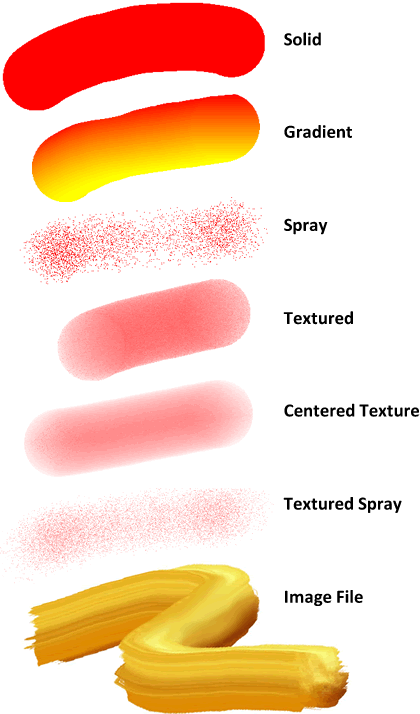
- New interactive Brush Tool to paint images
- New interactive Rotation Tool to freely rotate and flip images
- LibRaw can be used for Digital Camera Raw formats, providing support for more cameras, multi-shot photo and interpolation features
- Enhanced PSD features, including support for loading and saving files without merged images, and reading and writing of Exif tags
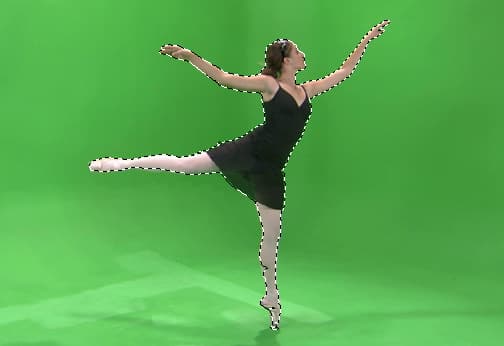
- New mouse interaction allows selection of background or subject using a Chroma Key algorithm
- Filename filtering for TImageEnMView and TImageEnFolderMView
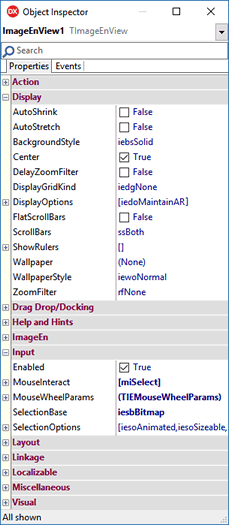
- All new component icons, plus ImageEn properties can now be categorized in Object Inspector
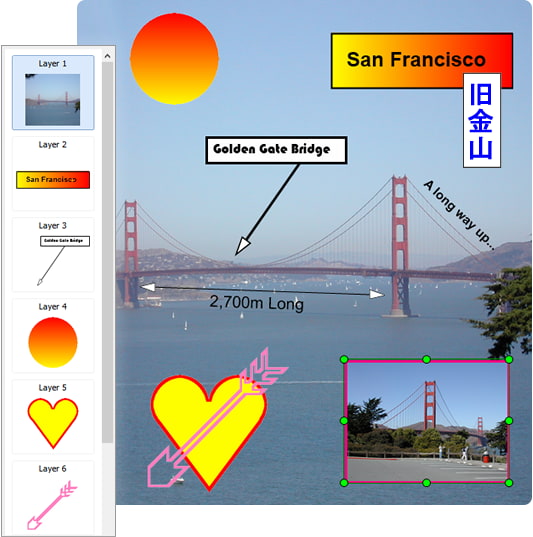
- Gradient, Alpha and Graduated Alpha fills
- New Actions: TImageEnViewCloneTool, TImageEnViewBrushTool, TImageEnViewSprayTool, TImageEnViewRotateTool, TImageEnViewRotateAndCropTool, TImageEnViewShowGuidelines, TImageEnViewSelectChromaKey
ImageEn 7.0.1
Top Ten Enhancements
- TIELineLayers can now be rulers
- New line end shapes for TIELineLayers: Unfilled Arrow, Reverse Arrow, Diamond and Bar
- Text can now be placed above or below lines in TIELineLayers
- IEN and PDF formats are now registered in VCL (for use by TImage, etc)
- Layer operations are supported when saving/loading to PSD (as PSD Blend Modes)
- Various enhancements to TImageEnView rulers, including customization of text in OnGetRulerText event
- Improved TIOParams.ResetInfo method allowing specification of which meta-data to remove
- Various improvements to drawing of layer objects, particularly when layers are zoomed
- More accurate RemoveIsolatedPixels method
- Improved performance of TImageEnMView when performing modifying individual thumbnails
ImageEn 7.0.0
Top Ten Enhancements
- Four New Text and Vector Layer Types
New layers types for TImageEnView, including sixty built-in shapes, lines, pointers, polylines, polygons, and text blocks
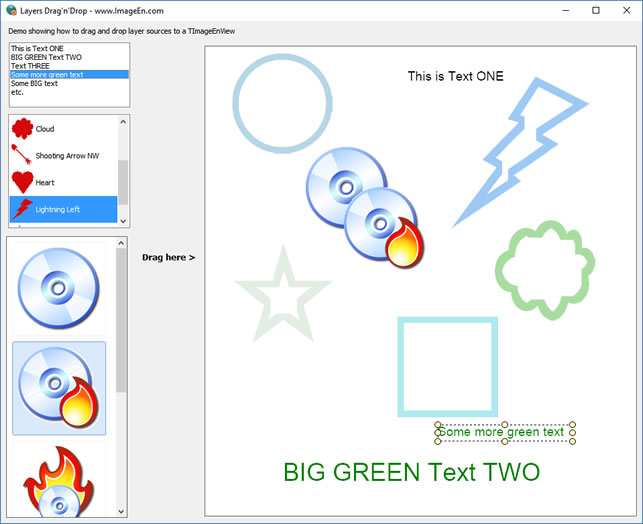
- Numerous Other Layer Improvements
Improvements include mouse actions allowing your users to drag to create new layers, styling enhancements, loading and saving as TIFF Wang annotations and JPEG meta-data, and importing from TImageEnVect objects, and IEV, ALL and DXF files
- Exporting to SVG
Exporting of layers and objects to SVG (Scalable Vector Graphics) as vector objects
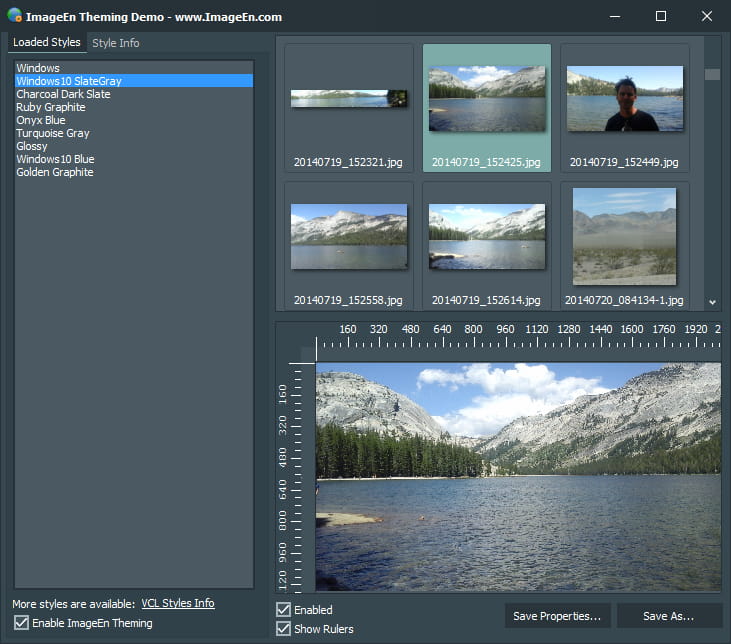
- VCL Theming
ImageEn controls are now styled by VCL theming
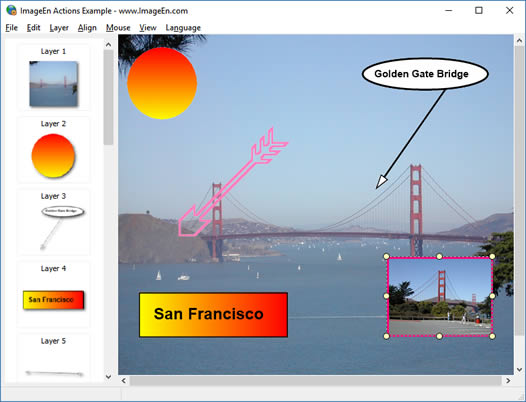
- Forty New Actions for Rapid Development
New TActions, particularly for layer management, allowing you to build powerful imaging applications with a few lines of code
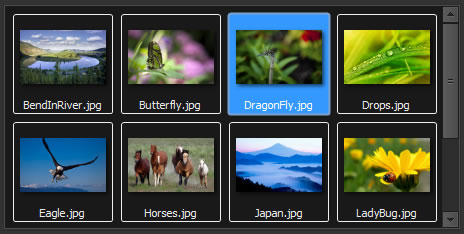
- Enhanced TImageEnMView
TImageEnMView improvements include enhanced styling and assigning from a TImageList and TImageEnView Layers
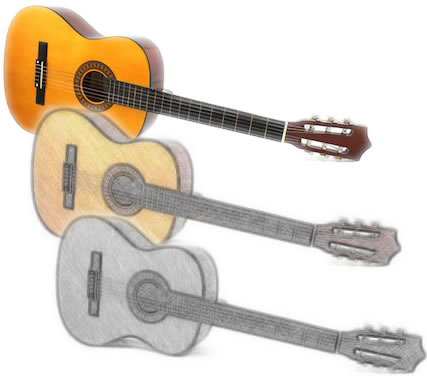
- New Image Processing methods
Including "Symmetric Nearest Neighbor" smoothing filter, Pixelize, and "Pencil Sketch" effect

- Improved CropTool
Enhancements to the CropTool mouse interaction, including size locking options and relevant TActions
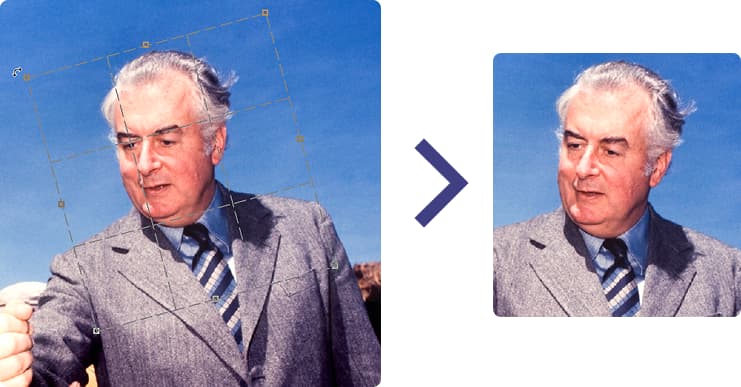
- Printing of Layers and Annotations
Print and Print Preview methods now support layers, Wang Imaging and ImageEn annotations
- Loading of Encrypted PDF files
Encrypted PDF files can now be loaded using the WPViewPDF Plug-In
- Support for Delphi/C++Builder 10.2 Tokyo
ImageEn 6.3.2
- Fixed: Bug may cause Preview dialog to fail
- Added: Easier loading of MPEG and WMV in TImageEnMView
- Updated Camera Raw format support to Dcraw 1.477
- Slow JP2 saving under IELib
- Lossless JPEG rotation may fail under IELib
ImageEn 6.3.1
Top Ten Enhancements
- Add rulers to TImageEnView with a single property
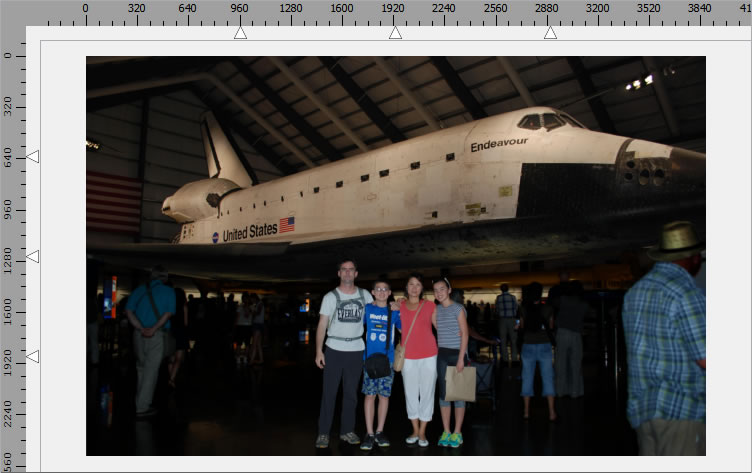
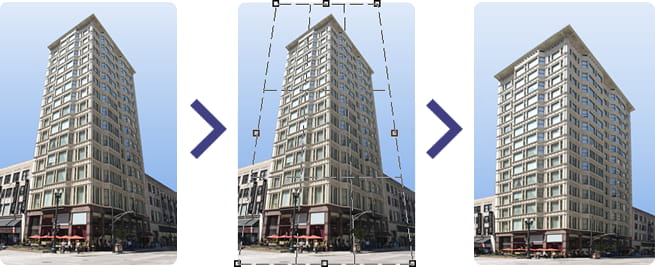
- Interactive adjustment of perspective distortion
- New Component, TIEColorPalette, for palette display and selection
- Support for WPCubed's Adobe PDF Plug-Ins
- Can now read and write DICOM tag sequences
- Support for ImageMagick 7
- Keyboard support in TImageEnView to move or size a layer or selection
- New Aspect Ratio property when acquiring video with Media Foundation
- Improved support for TIFF formats
- Various styling improvements, particularly to TRulerBox, and themed borders for all components
ImageEn 6.3.0
Top Five Enhancements
- Instantly add cropping and rotated cropping support with new interaction property
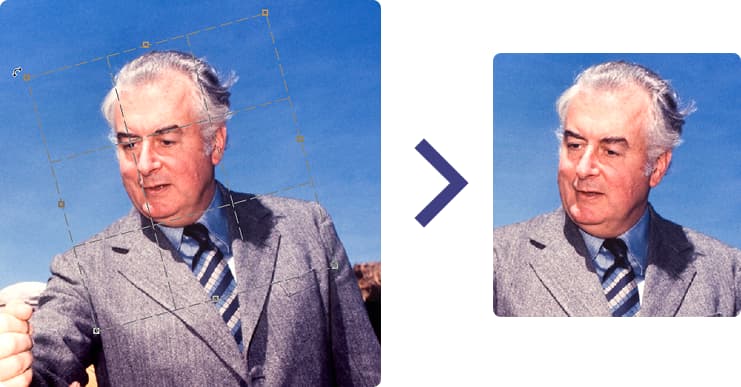
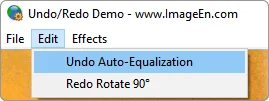
- Many improvements to Undo to make it easier to support multiple undo/redo and display relevant options to users
- Complete translations for Russian and Spanish
- Numerous bug fixes and improvements
- Support for Delphi/C++Builder 10.1 Berlin
Top Ten Enhancements
- TImageEnMView Common Layouts
New method, TActions and mouse wheel option to set TImageEnMView to five common layouts
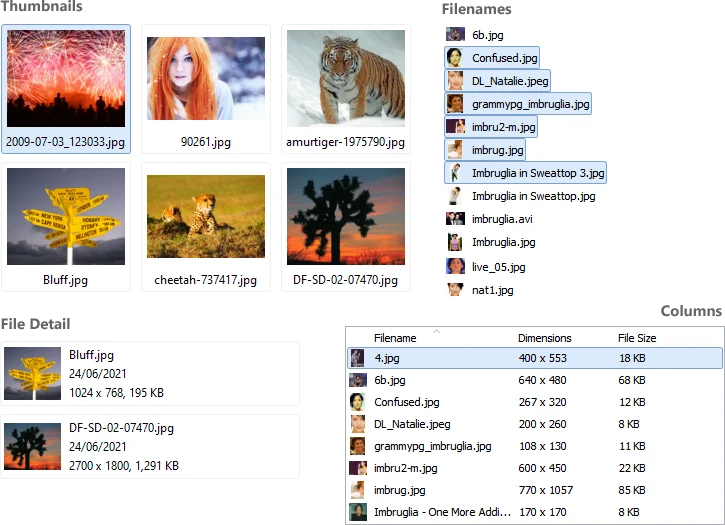
(And column headers in TImageEnFolderMView can be clicked to change sorting) - Windows Explorer Thumbnails
TImageEnMView can now use thumbnails of Windows Explorer for extra speed and persistent caching
- Faster Layer Rotation
Improved rendering speed when a layer is manually rotated
- Rotation Guide Lines
Can now overlay a TImageEnView with guide lines to aid manual rotation
- Batch Layer Methods
Rotate, resize or move all layers in a TImageEnView with LayersRotateAll, LayersRepositionAll and LayersSizeAll
- Enhanced TIEMultiBitmap
Now includes RemoveDuplicates and IndexOf() methods, as well as a Modified property
- Simpler Multiple Undo/Redo
Simpler support for multiple undo/redo (now only requires a few lines of code)
- Sub-Folder Support
TImageEnFolderMView can now display files in sub-folders
- Improved RotateAndCrop
New algorithm for TImageEnProc.RotateAndCrop to better support fixing of mis-aligned photos
- Ctrl + Wheel Support
Second MouseWheelParams property for TImageEnMView to handle Ctrl + Wheel usage
ImageEn 6.2.1
Top Five Enhancements
- New methods to align TImageEnView layers and TImageEnVect objects
- Blurred Image background style for TImageEnView (like on YouTube when displaying portrait videos)

- New LayerOptions to configure behavior of TImageEnView layers, such as auto-selecting a layer's mask
- DPI support when copying to/from DIBs
- Various bug fixes
Top Ten Enhancements
- Edit Multi-page Images in Code
Two new classes for non-visual manipulation of multi-page images (GIF, TIFF, etc): TIEMultiBitmap and TIEMultiParams
- Create Data-Aware Image Controls
Two new data-aware classes, TIEDBBitmap and TIEDBMultiBitmap for creating data-aware TImageEnViews and TImageEnMViews
- Multiple Selection and Grouping of Layers
Allow your users to select and group multiple layers in TImageEnView, and group objects in TImageEnVect
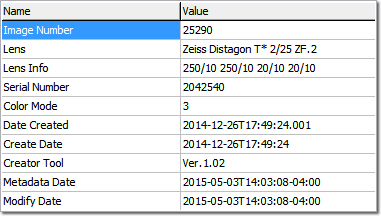
- New EXIF Tags
Latest EXIF tag support: CameraOwnerName, BodySerialNumber, LensMake, LensModel, LensSerialNumber, Gamma, SubjectArea, SubjectLocation
- XMP Metadata
New methods to read and output XMP metadata in images
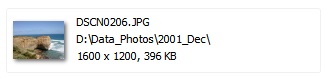
- Default Thumbnail Text
Update the display text of all files in a TImageEnMView without setting individual records
- EMF+ Support
Now supports EMF+ metafiles
- CUR Support
TImageEnMView/TImageEnMIO can load all cursors in a cursor resource
- Improved Memory Handling
Many improvements to memory handling, particularly with TImageEnMView
- Simpler DLL Dependencies
ImageEn now only requires one DLL (optional for 32bit) to handle RAW formats, 64bit and IEVision features
ImageEn 6.0.1
Top Five Enhancements
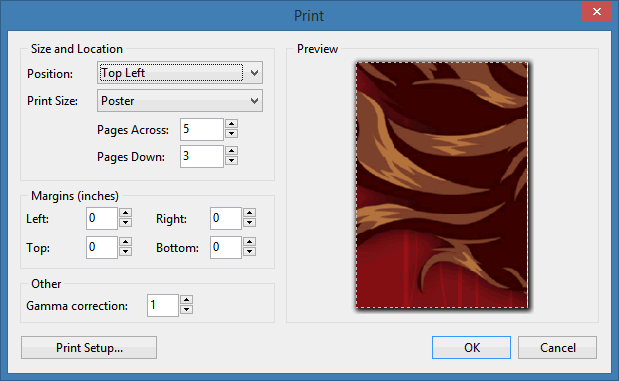
- Poster printing (printing a single image to multiple pages)
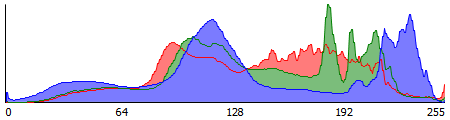
- Cooler styling for THistogram
- Pan Zoom effects are now much smoother due to frame blending
- TImageEnMView.BiDiMode: Now supports Right-to-Left mode
- TImageEnMView now more efficient with images containing large meta-data blocks
Top Ten Enhancements
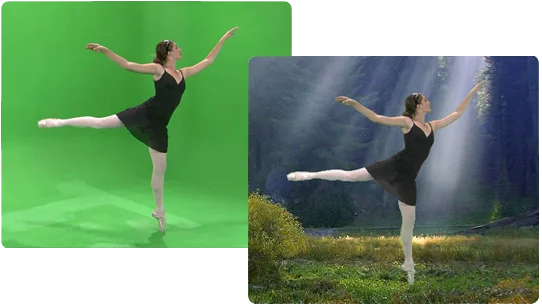
- ChromaKey Background Removal
Can now perform ChromaKey removal for green screen image applications
- Portable Devices API Support
Images and videos can be acquired from connected devices using the Portable Devices API (WPD)
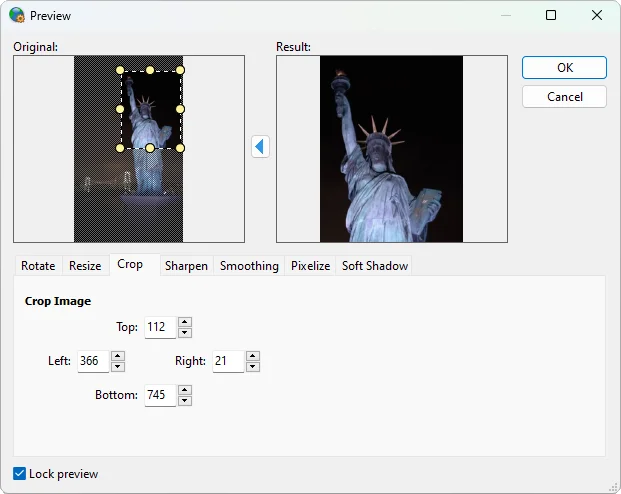
- More Powerful Editing Dialog
Proc.DoPreviews now provides image cropping and auto-enhancement features
- Fifteen New Actions
New actions for ImageEnView and ImageEnMView to perform editing, change layout and sort files
- Edge Feathering
Edges of images and layers can now be feathered (against the alpha channel)
- "Details" View for ImageEnMView
New thumbnail layout for ImageEnMView that displays text to the right of the thumbnail
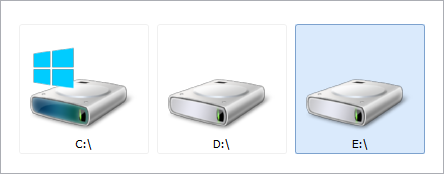
- Desktop and Drives display for ImageEnFolderMView
ImageEnFolderMView can navigate to the Drives and Desktop special folders
- Plus many more ImageEnMView Improvements
ImageEnMView can now display Wang and ImageEn annotations, shows an icon for missing and unknown file types, and has much lower resource requirements
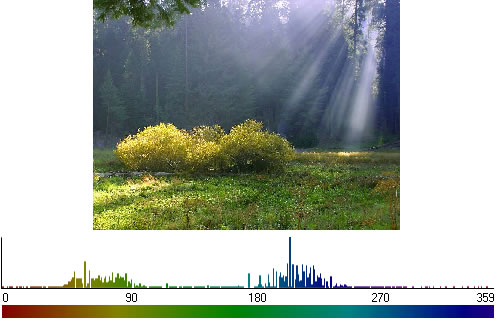
- HistogramBox Enhancements
The HistogramBox can now show a Hue histogram and values and ranges can be selected
- MICR Support
IEVision can now perform OCR on documents containing MICR text
Top Ten Enhancements
- Much improved TImageEnMView
While there are too many improvements to list, they include:
- Gesture Support
- Mouse wheel can now be used for zooming, scrolling or navigation
- Styling improvements including display of checkboxes on hover, and better visual indication when disabled
- Improved performance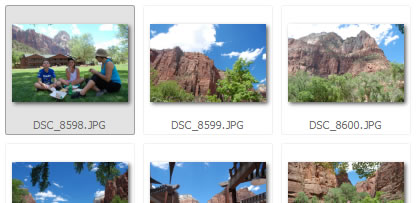
- Powerful Dithering
TImageEnProc.ConvertTo now supports many more dithering types and palettes, including Floyd-Steinberg
- Meta-data Helper Unit
New helper unit to provide improved functionality when accessing and displaying EXIF, IPTC and DICOM meta-data
- DICOM Enhancements
Significant DICOM improvements, including better reading speed and memory requirements, support for more sub-formats and implementation of the official list of 5,000 Dicom tags
- TIFF Enhancements
Numerous TIFF improvements including optimization and support for more sub-formats
- 64bit DB Components
ImageEn database components are now also available for 64bit applications
- VCL Theme Support
All ImageEn components now support VCL Themes
- Multiple Folders in TImageEnFolderMView
TImageEnFolderMView can now display content of multiple folders simultaneously
- MMF Enhancements
Continuing improvements to our Media Foundation API implementation
- XE7 Support
Now compatible with Delphi and C++Builder XE7
Top Five Enhancements
- Added support for Delphi/C++Builder XE6
- TImageEnProc.Previews now allows the addition of a soft shadow
- Can specify background color for irregular rotations in Proc.Previews dialog
- Progress is now updated during TImageEnProc.SkewDetectionFine
- Fixed some dicom related issues
Top Ten Enhancements
- Now supports Microsoft Media Foundation for video grabbing from web cams, file and URLs
- Enhanced filtering of TOpenImageEnDialog to display all supported files, including limiting to just images or videos
- Improvements to TIESlippyMap for improved aeshetics
- Now includes a built-in set of pan-zoom effects
- Font styling can now be specified for TIEAnimation
- New helper functions to load/save all settings of TIEAcquireParams
- New helper functions to create PDF and PS files from a file list
- Added properties for PDF and PS files: PaperSize
- CaptureFromScreen can now be limited to the primary monitor
- Can load base64 encoded files, and copes better with corrupt PSD files and GIF images with invalid animation
Top Eight Enhancements
- ImageEn now supports all formats of the installed version of ImageMagick
- Includes an Equirectangular renderer to view 360° Android-Google Photosphere images
- Can now read BigTIFF format (>4GB TIFFs) and PSB format (large Photoshop PSD)
- Vectorial objects can now be saved into JPEG and TIFF files
- TImageEnProc.GetHistogram can get histograms of 8 and 16 bit gray scale images
- Added Unicode support for iekMEMO and iekTEXT objects in TImageEnVect (no RTL support yet)
- New "Fill Page" option to print images to full page size while cropping edges
- New event allows blocking of selection changes in TImageEnMView
Top Five Enhancements
- ImageEnView now supports gestures in Windows 7 and 8 to pan, zoom, rotate and move images
- Twenty new transition effects including 3D page flipping and cube rotation effects, word and letter effects, jigsaw puzzle, and "Pacman" effects
- Styling of sixty existing transition effects can now be modified using a new global option
- Checkboxes can optionally be used for multiple selection in TImageEnMView
- Supports IEVision's new barcode recognition features
Top Ten Enhancements
- TImageEnFolderMView
A descendent of ImageEnMView designed specifically for displaying the content of file folders, including support for:
- Folder icons
- Drag and drop of files from Windows
- Cut, copy and paste of files from Windows Explorer
- File information when hovering over frames
- Automatic refresh when folder contents change
- Display of the standard folder popup menu
- File functions to move, copy, rename and delete files
- In-built file navigation, file shortcuts and other functions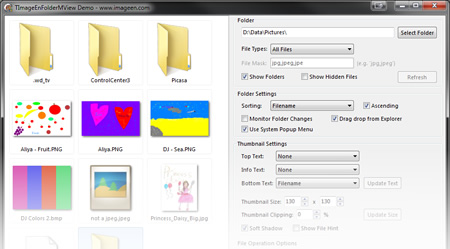
- Dicom Saving
ImageEn now provides native support for saving DICOM files
- Rotation Dialog
The Image Processing dialog now includes support for rotation, allowing you to prompt the user to rotate the current image with an ImageEn TAction or a single line of code: ImageEnView1.Proc.DoPreviews([peRotate])
- Improved Encryption
New algorithm provides much improved encryption (without contours showing for encrypted lossless images)
- ImageEnMView Styling
Significant improvements have been made to ImageEnMView styling with new options for text margins, background colors and icons. For ease of usage call ImageEnMView1.SetModernStyling to automatically set all styling properties to match Windows. A new "ThumbnailClipping" property even allows thumbnails to be automatically clipped to their display area
- ImageEnMView Text
A full set of constants allow you to thumbnail frames to automatically output text information, such as dimensions, file size, date, etc.
- ImageEnMView Sorting
An ImageEnMView can now be sorted by file size, create date, edit date and type
- Image Processing Preview Improvements
The styling of the preview dialog has been improved so it is more suitable when used for a single purpose, such as rotation or resizing. It also provides much better preview performance with large images and can use anti-aliasing
- Improved Rotation Preview
ImageEnView can now display rotated layers with anti-aliasing
- XE5 Support
Now compatible with Delphi and C++Builder XE5
Top Ten Enhancements
- Added support for Delphi and C++Builder XE4
- PrintImagesToFile function allows an ImageEnMView to ouput a set of files (thumbnail sheets)
- All ImageEn global settings are now centralized with the TIEImageEnGlobalSettings class
- ImageEn actions can now be localized by setting MsgLanguage
- ImageEnMView allows the selection of multiple regions using the Ctrl key
- Added iexDicomRoutines helper unit for Dicom files
- ImageEnMView now supports Explorer thumbnails when using AppendImage
- Added translations: Chinese Traditional (Big5 Encoding) and Norwegian
- DICOM decoder now can read nested tags
- FillFromDirectory can now be cancelled by setting MIO.Aborting := True
Top Fifteen Enhancements
- Now supports creation of 64bit applications in Delphi/CPP XE2 and XE3
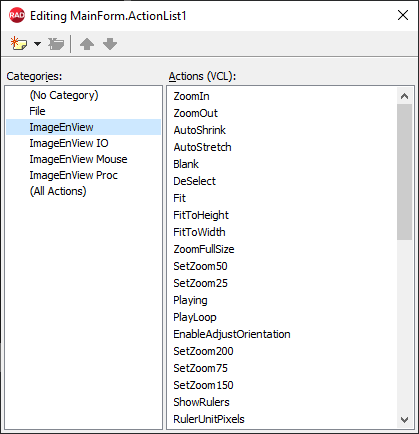
- 170 actions for ImageEnView, ImageEnMView and ImageEnVect to rapidly create UI without code
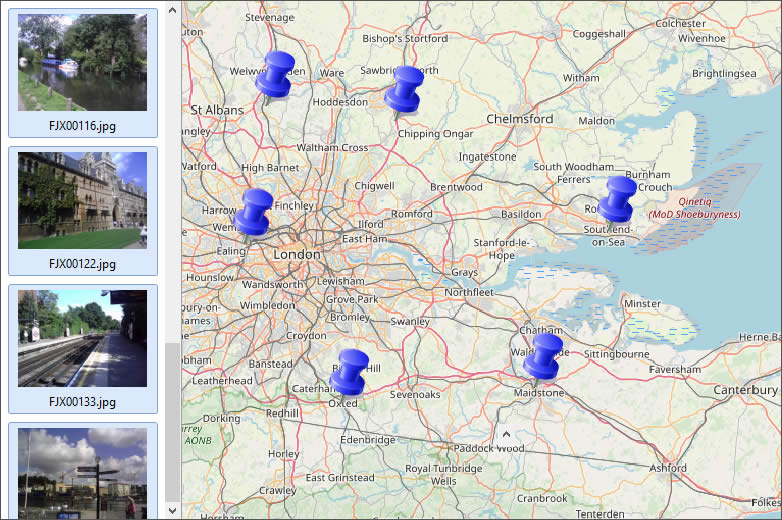
- New TIESlippyMap class to perform basic geo-location (automatic display of GPS-EXIF points on a map)
- New methods to read and write IPTC fields
- ImageEnMView will now display thumbnails for video files retrieved from Windows Explorer
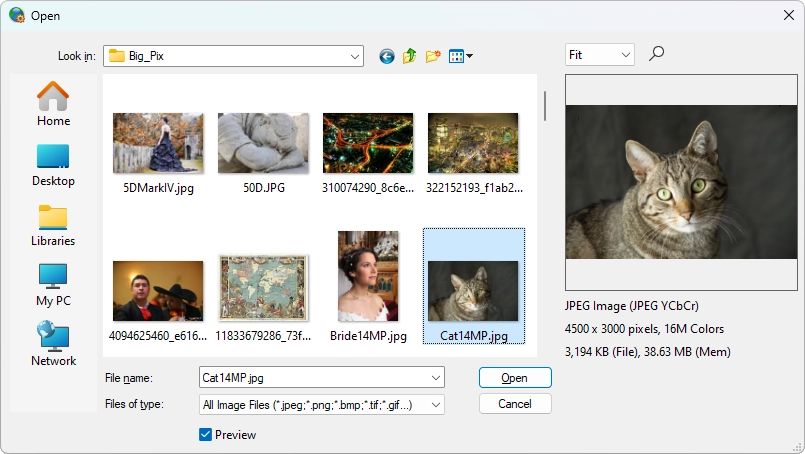
- Improvements to OpenImageEnDialog, including better layout and larger preview options
- ImageEnView can now playback animated GIF and AVI files
- New TImageEnView method to perform a smooth zoom (transitions to the new zoom, rather than displaying it immediately)
- New helper file unit to add shortcut methods to TImageEnIO, TBitmap, as well as general image file functions
- Improvements to the documentation (on-going)
- Many methods of ImageEnVect now allow you to specify a parameter to apply action to all selected objects
- Added functions to TIEBitmap: Rotate, Flip and Resample
- Added translations for Arabic and Serbian
- EXIF date properties now all offer TDateTime equivalents
- Four new demos: Geo Maps, Actions, MView Actions and Vect Actions
- Beta release of 64bit support for Delphi and C++Builder XE2 and XE3
- Optional DLL for 32bit applications to speed up file loading
- Added support for Delphi and C++Builder XE3
Top Ten Enhancements
- Images can now be automatically aligned to the center or either side, both horizontally and vertically
- Easier sorting of files by name, text, etc, when using TImageEnMView
- Rotation of Layer 0 is now supported when MouseInteract is miRotateLayers
- Selected layer box and grips are displayed over all layers
- Bounding box is displayed when rotating a layer
- It is now possible to remove the last inserted selection point (when MouseInteract is miSelectPolygon)
- DICOM: enhanced support for lossless-jpeg compression
- Angle objects for TImageEnVect can now be defined in code
- Added TIEAcquireParams.FindSourceByName to locate devices using only their name
- Vectorial objects can now be drawn over Black/white images (Experimental feature)
Top Ten Enhancements
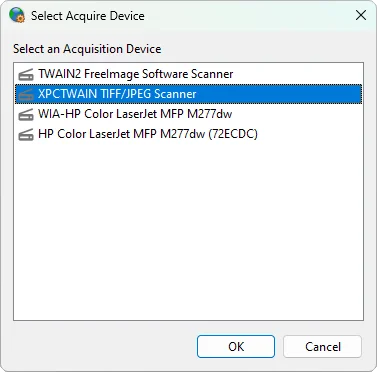
- Now offers a generic interface to all acquisition sources, Twain, WIA and connected cameras and cards
- Photos can now be acquired from connected cameras and cards (which appear as USB drives)
- Support for much larger PDF creation through disk caching
- TImageEnMView now offers a Seek method to quickly navigate loaded images and frames
- TImageEnMView will automatically scroll when dragging items within it
- TImageEnMView.FillFromDirectory can optionally add all supported video formats
- Added TImageEnMView.SelectedImageAlwaysVisible property to force the selected image to remain visible
- TSaveImageEnDialog can now be used without attaching it to a TImageEnIO (though in this configuration it will not provide user access to file parameters)
- New selection option, iesoDisableOneClickDeselect, which prevents clearing of the selection when clicking on a TImageEnView
- TImageEnView and TImageEnMView now expose the Touch property
Top Ten Enhancements
- Delphi XE2 (32 bit) support
- Support for the new IEVision Advanced Functionality add-on
- New transition effects: Cube Rotate, Soft Wipe and Twist transitions
- Insertion of transition frames with TImageEnMView and saving of transition frames to file with TImageEnProc
- New helper units for advanced EXIF and IPTC handling, providing such functions as input/output of fields to string grids
- Improved Open/Save dialogs including FilterDefault property for specifying a preferred image type
- "Maintain Aspect Ratio" parameter for TImageEnProc.Resample and ResampleTo
- ZoomIn and ZoomOut methods for quick implementation of zooming functionality
- Overloaded versions of TImageEnMView.InsertImage for quicker insertion of images by bitmap or path
- UnsharpMask now provides specification of Radius by double
Top Ten Enhancements
- Full installer available to download all required packages and automatically register them
- New Seek method to quickly navigate and load images within multi-frame formats such as TIFF, GIF, ICO and videos
- Default file view for Open and Save dialogs can now be overridden to display thumbnails, full details, etc.
- ImageEnMView automatically scrolls when making a drag selection (TrackMouseSelection = True)
- All preview dialogs now use the Windows standard GUI font (if PreviewFont has not been overridden)
- Preview button in Open and Save dialogs always launches a full size preview
- All preview dialogs now use globals, iegPreviewImageBackgroundStyle and iegPreviewImageBackgroundColor, for image preview styling
- Enhanced support for reading EXIF fields from Raw camera formats
- Now TImageEnIO.LoadFromFile can load frames from WMV and MPEG formats
- ImageEnView, ImageEnMView and ImageEnVect display themed borders if THEMED_BORDERS is defined in ie.inc
ImageEn 4.0.0
Top Five Enhancements
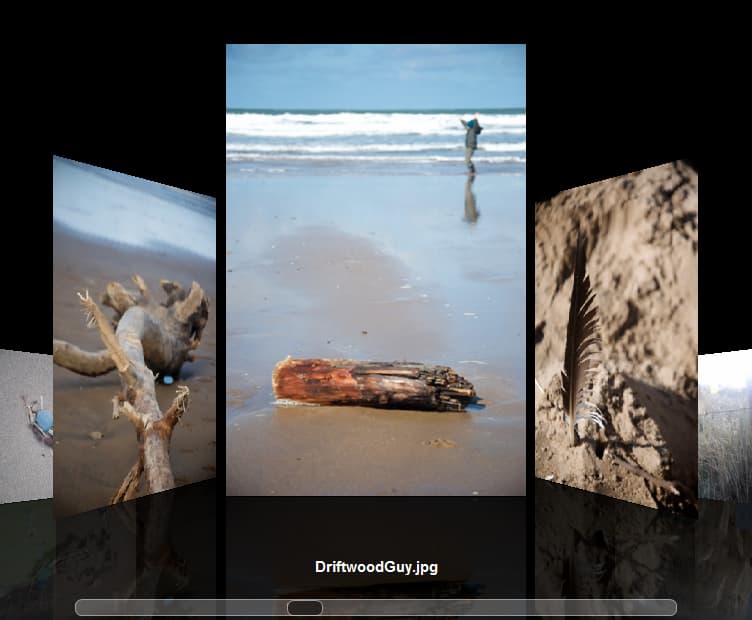
- Images can be displayed and navigated using Coverflow-style animation
- Preview now available for printing of thumbnails
- Revamped styling of all ImageEn dialogs
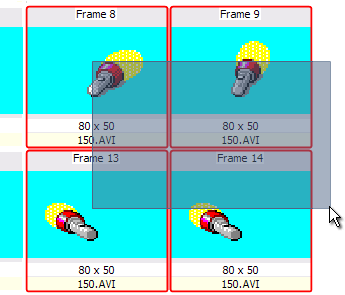
- ImageEnMView now supports drag style selection
- Global Zoom Quality property now available to improve the preview of images in all dialogs