TImageEnView.MagicWandSize
Declaration
property MagicWandSize: Integer;Description
Specifies the diameter of the area to sample to determine the selection color.By default, MagicWandSize is 1, which means only the color of the clicked pixel is used as the basis for the selection. If a larger value is specified then an average of all colors within a circular area will be used.
Default: 1
Demo
 | Demos\ImageEditing\EveryMethod\EveryMethod.dpr |
Examples
// Average colors in a 5x5 pixel circle to determine the selection colorImageEnView1.MagicWandSize := 5;
// Average colors from clicked pixel, plus the pixels above, below and to the left and right
ImageEnView1.MagicWandSize := 3;
// Only the clicked pixel is considered
ImageEnView1.MagicWandSize := 1;
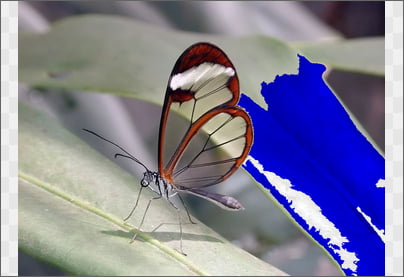
// Create a "flood fill" type selection and discard red and green channels
ImageEnView1.MagicWandTolerance := 24;
ImageEnView1.MagicWandSize := 1;
ImageEnView1.SelectionBase := iesbBitmap;
ImageEnView1.SelectMagicWand( 588, 217 );
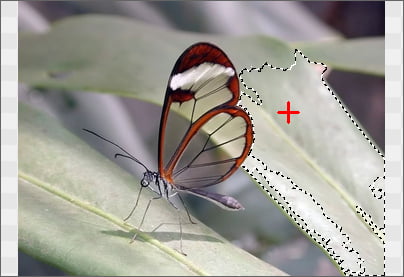
ImageEnView1.Proc.Proc.DisposeChannels( 'B00' );
See Also
◼MagicWandMaxFilter◼MagicWandMode
◼MagicWandTolerance
◼MouseInteractGeneral